
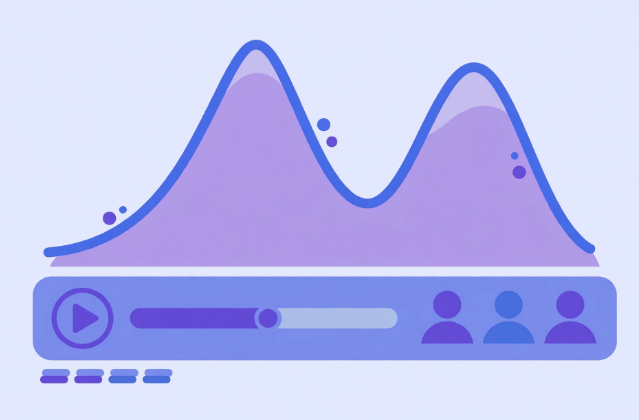
To improve audience retention in videos, start with a clear hook, deliver useful content early, and cut parts that slow the video down. Use a simple story structure. Then check your retention data to find where viewers leave.
More cuts do not always mean better videos. Each section needs a clear purpose. Viewers need to know what they will get and see steady progress toward that result.
Topic research can help you match videos to real audience needs. Creators exploring keyword research options may consider group buy SEO tools as part of that planning process. Research helps shape the topic; the video itself must deliver on its promise.
This guide explains video retention metrics, common reasons for audience drop-off, and how to read a retention curve. It then covers planning, hooks, storytelling, editing, and ways to track progress.
What Is Audience Retention in Videos?
Audience retention shows how well a video keeps viewers watching as it plays. It helps you find the parts people watch, skip, or replay.
How Audience Retention Measures Viewer Attention
A retention graph shows viewing activity across a video’s timeline. You can check what happens near the start, during each main section, and at the end.
The graph shows where viewing changes. It does not tell you the exact cause. Watch the scene at each drop before you decide what to fix.
Audience Retention vs. Watch Time and Average View Duration
These metrics answer different questions:
| Metric | What it tells you |
| Audience retention | How viewing changes throughout a video |
| Watch time | The total time people spend watching |
| Average view duration | The average time watched per view |
| Average percentage viewed | The average share of the video watched |
A video can earn more watch time because it gets more views. That does not mean each viewer stays longer. Read these numbers together.
How to Calculate Average Percentage Viewed
Average percentage viewed = average view duration ÷ video length × 100.
A 10-minute video with a four-minute average view duration has an average percentage viewed of 40%.
This does not mean 40% of viewers reach the end. It describes average viewing across the video. Timestamp-specific retention describes viewing at one point.
Why Do Viewers Stop Watching Videos?
Viewers may leave when a video stops meeting their needs or takes too long to deliver value. Check these common problems.
For SEO research and competitor analysis, you can also review seotoolsgroupbuy.us.

The Opening Does Not Match the Title or Thumbnail
A title and thumbnail set an expectation. The opening needs to confirm it.
A video called “Fix Blurry Phone Photos” should show the problem or start the fix. A long camera review delays what viewers came to learn.
Long Introductions Delay the Main Value
Long greetings and logo clips take time before the useful part starts. Keep only the context viewers need.
Introduce yourself briefly when your role helps explain the advice. Move straight to the topic after that.
Repetition, Filler, and Slow Pacing
Repeating one tip in new words adds length without adding value. Explain it once, give a useful example, and move on.
Keep pauses that help viewers think. Remove pauses that serve no purpose.
Confusing Structure or Missing Context
Viewers can lose track when steps appear out of order. Show what they need before asking them to act.
Explain new terms in plain words. Name the setting or tool shown on screen.
Poor Audio, Distracting Visuals, or Difficult-to-Read Text
Unclear speech makes a video hard to follow. Small text and crowded screens create the same problem.
Check the video on a phone. Make sure viewers can hear the voice and read key details.
Promotional Interruptions and Early Ending Signals
Long sales messages can break the flow. Repeated requests to subscribe can delay the answer.
Save the closing message until the promised result is complete. Avoid a long outro after that point.
How to Check Your Audience Retention Data
Open a video’s analytics and review its retention report alongside its viewing metrics. Start with one video to find specific weak points.
Where to Find the Audience Retention Report in YouTube Studio
On a computer:
- Sign in to YouTube Studio.
- Select Content.
- Choose a video and open Analytics.
- Check Overview or Engagement.
- Find the Audience retention report.
Use YouTube Studio for these steps. Older guides may call it Creator Studio. Report layouts can change, so follow the labels shown in your account.
Which Metrics to Review Together
Check average view duration, average percentage viewed, opening retention, and major dips.
Use YouTube Analytics to connect each number with the video itself. A low average alone does not show which scene needs work.
Using analytics for retention helps you choose a moment to review.
How to Compare Videos With Similar Lengths, Topics, and Formats
Compare videos that serve a similar purpose. A short product demo and a long class meet different needs.
Check traffic sources and new versus returning viewers when those views are available. New viewers may need more context than people who know your work.
How to Read an Audience Retention Graph
Match each change in the graph with the scene at that point. Treat patterns as clues rather than proof of a cause.
What a Drop in the First 30 Seconds Can Reveal
An early drop may point to a weak hook, a slow start, or the wrong expectation.
Replay the first 30 seconds. Check how soon the video confirms its topic and delivers something useful. Remove setup that viewers do not need.
For SEO research and competitor analysis, you can also review seogroupsbuy.com.

What Gradual Declines and Sudden Dips Can Reveal
A gradual decline shows viewing falling over time. A sharp dip marks a point worth checking.
Look for a repeated tip, long pause, confusing step, or abrupt promotion. Do not assume every decline needs a new visual effect.
What Flat Sections Can Reveal
A flatter section suggests steadier viewing during that stretch.
Study what the section does well. It may show a clear demo, answer a focused question, or move at a useful pace. Test that approach in a similar video.
What Spikes and Rewatch Bumps Can Reveal
A spike can reflect replaying or viewers skipping to a point. Interest and confusion can both lead to rewatching.
Check whether the scene offers a useful detail or explains something too fast. Choose a change based on what the scene shows.
What End-of-Video Drop-Off Can Reveal
Viewers may leave once their task is done. A drop after the full answer differs from a drop before it.
Check whether you signal the ending too soon. Deliver the final useful point before starting the goodbye.
How to Compare Retention With Similar Videos
Your graph shows viewing within one video. Relative comparison helps judge that pattern against suitable videos.
Older resources may use “absolute retention report” and “relative retention report.” Check what each comparison measures and which options your current account offers.
What Is a Good Audience Retention Rate?
A good rate depends on video length, purpose, format, and audience. One percentage cannot judge every video.
How Video Length, Topic, Audience, and Format Affect Retention
A brief answer and a detailed lesson ask for different amounts of time. People may skip to a needed step in a tutorial.
Judge the numbers against the task the video serves. Consider percentage viewed and minutes watched together.
How Beginners Can Establish a Useful Baseline
Start with a small group of similar videos. Record their length, average view duration, percentage viewed, and main drop-off points.
Use that record as your baseline. Look for patterns across several uploads rather than judging one result alone.
Why One Retention Percentage Does Not Fit Every Video
A universal “50% is good” rule leaves out context.
For example, 40% of a 20-minute video equals eight minutes. Seventy percent of a two-minute video equals 1.4 minutes. Both the share watched and time watched matter.
How to Improve Audience Retention Before Recording
Plan one clear result, then keep the script focused on reaching it. Good planning reduces weak sections before editing starts.
Choose a Topic That Solves a Specific Audience Problem
Choose a clear need, such as fixing low microphone volume. “How to record better videos” covers far more ground.
A focused topic makes it easier to decide what belongs in the script.
Define One Clear Promise for the Video
Write one sentence that states what viewers will learn, see, or complete.
Use it to check each section. Cut details that do not support the promise or help viewers understand it.
For SEO research and competitor analysis, you can also review seogbtools.com.

Align the Script With the Title and Thumbnail
Plan the title and thumbnail with the script. Each should describe the same result.
For retention on YouTube, the content must meet the expectation that earned the click. Avoid claims the video cannot support.
Plan the Hook, Main Sections, and Final Payoff
Write the opening, key steps, and ending before recording.
Give each section a job. The hook sets the purpose. The main sections build toward the result. The payoff completes the promise.
Choose a Video Length That Fits the Content
Video length optimization starts with the detail viewers need.
Do not stretch a short answer to meet a runtime goal. Do not rush a hard step just to make the video shorter.
How to Create an Opening That Keeps Viewers Watching
Show the value early and give viewers a clear reason to stay. Strong video hooks make the topic easy to grasp.
Show the Result, Problem, or Main Benefit Immediately
Open with the finished result, the error, or a useful finding.
For a screen tutorial, show the issue on screen. For a repair video, show what needs fixing.
Give Viewers a Specific Reason to Continue
State what the video will help them do.
“Learn three settings that make speech clearer” gives more direction than “You will love these tips.”
Remove Long Greetings, Logo Animations, and Repeated Setup
Cut opening lines that delay the point.
Before: “Hi everyone, welcome back. Today, we have another video about sound.”
After: “Your voice sounds faint because the input level is too low. Here is how to fix it.”
Introduce a Relevant Question or Unresolved Problem
Use a question the video will answer. Keep it tied to the main need.
A question earns attention when the next scenes make progress toward the answer.
Deliver Early Value Before Asking for Engagement
Give viewers a useful step before asking for a like or comment.
Viewer engagement should fit the content flow. It should not block the reason people clicked.
How to Use Storytelling to Maintain Viewer Interest
Use storytelling techniques to make progress clear from the first problem to the final result. A tutorial does not need a dramatic plot.
Build a Clear Beginning, Middle, and End
State the need, work through it, and show the outcome.
This structure helps viewers follow the video without guessing where it is going.
Structure the Video Around a Problem and Its Resolution
Show what is wrong and which changes fix it.
Keep background details when they explain a choice or help viewers avoid a mistake.
Reveal Information in a Logical Sequence
Teach steps in the order viewers need them. Explain a setting before showing a task that depends on it.
Clear order reduces the need to pause and search elsewhere.
Use Examples, Demonstrations, and Evidence
Show what advice looks like in practice. Use a screen recording, sample, or before-and-after result.
Support factual claims with evidence. Keep examples close to the points they explain.
Build Anticipation and Deliver the Promised Payoff
Mention a later result when it gives viewers useful context. Deliver it when the needed steps are complete.
For SEO research and competitor analysis, you can also review seogroupbuy.in.

Do not hide a simple answer just to extend watch time.
Connect Sections With Clear Transitions
Use short lines that explain the next step.
“Now check the recorded sound” helps viewers follow the process. Avoid transitions that repeat the full section they just watched.
How to Improve Video Pacing and Editing
Improve pacing in videos by removing dead time and giving each useful point enough space. Editing for retention should make content easier to follow.
Cut Filler, Repeated Explanations, and Unnecessary Pauses
Ask what each scene adds. Remove repeated lines that offer no new detail.
Cut long waits while a page loads or a tool starts. Keep pauses that help people read, think, or follow a step.
Balance Fast Sections With Time to Understand
Move quickly through simple steps. Slow down for new or difficult tasks.
Read each instruction aloud during the edit. Check whether viewers have time to find the same option.
Use Relevant B-Roll, Graphics, and On-Screen Text
Use b-roll to show what the speaker describes. Add a close-up when a small detail matters.
Graphics can explain a process. On-screen text can highlight a number or next step. Keep visuals tied to the current point.
Add Pattern Interrupts Where Attention Starts to Drop
Pattern interrupts change how you present content. Try a screen demo, new camera angle, or short question.
Use changes where they help explain or renew interest. A fixed change every 90–120 seconds can feel forced.
Improve Voice Clarity, Sound Levels, and Music Balance
Keep speech clear and steady. Lower music when someone speaks.
Use sound design to support actions or shifts in mood. Avoid loud effects that hide words. Listen on headphones and a phone speaker.
Use Readable Captions and Mobile-Friendly Visuals
Check captions for errors and timing. Break long lines into short chunks.
Keep text large enough for phones. Place key details away from app controls. Video editing should make each point easy to see.
How to Use Calls to Action Without Interrupting the Video
Place a call to action after a useful moment and keep it brief. Ask for an action that fits the content.
Place Engagement Requests After Delivering Value
Give viewers a reason to trust the content first.
After a sound demo, ask which version they found clearer. A focused question fits better than a general request for comments.
Keep Calls to Action Short and Relevant
Use one clear request at a time. Several calls to action (CTAs) can distract from the lesson.
“Save this checklist for your next shoot” gives a clear purpose without delaying the next point.
Integrate Promotional Segments Into the Content Flow
Connect a promotion to the task when the link is useful.
For YouTube marketing or influencer marketing videos, keep sponsor messages focused. Review whether a promotional segment lines up with a sharp retention drop.
End With a Clear Payoff and a Brief Next Step
Finish the promised answer before suggesting another video.
End screens, playlists, and series content can support continued viewing across videos. They do not replace a strong ending within the current video.
For SEO research and competitor analysis, you can also review seordp.net.

How Retention Techniques Differ by Video Format
Match the pace and structure to the format and the viewer’s task.
Short Videos: Immediate Context and Concise Payoffs
For shorts retention, make the subject clear from the first frame. Remove setup the image already explains.
Keep each line useful. Deliver a complete result rather than cutting off the answer to force another view.
Long Videos: Clear Sections, Sustained Value, and Useful Chapters
Give long videos a clear path. Add chapter markers when viewers may need a specific step.
Deliver value throughout. Save a result for the end when earlier steps are needed to reach or understand it.
Live Videos: Focused Segments and Relevant Audience Interaction
Improve live streaming retention with a clear plan and short opening.
Group related questions together. Give late arrivals brief context, but avoid restarting the whole introduction each time new viewers join.
How to Fix Retention Problems Using Your Analytics
Match each major drop with its content, then choose one change to test.
Review the Exact Moment Before Each Major Drop
Watch the seconds before the drop and the scene that follows.
Note the spoken line, visual, pace, and CTA. Record timestamps so you can find the moment again.
Identify Whether the Issue Is Content, Pacing, or Expectations
Check whether the section supports the promise, takes too long, or conflicts with viewer expectations.
Use audience feedback to support your review. Comments may reveal missing steps or unclear wording.
Rework Weak Hooks and Slow Sections Where Editing Is Possible
Check which changes the platform allows before planning a major rebuild.
Use findings in future recordings when they require new scenes, a different order, or a fresh opening.
Move Useful Demonstrations Earlier or Clarify Confusing Sections
Bring proof closer to the claim it supports.
Clarify a difficult step with a close-up or simpler line. Add detail where viewers need it, rather than expanding every scene.
| Retention pattern | Possible issue | Change to test |
| Early sharp drop | Weak hook or expectation mismatch | Align the opening with the promise |
| Mid-video dip | Repetition, interruption, or confusion | Shorten or clarify the segment |
| Rewatch spike | Useful detail or unclear instruction | Review the scene before changing it |
| Drop before payoff | Delayed value | Show a useful result earlier |
| Early exit near ending | Long outro | Shorten the closing and CTA |
Apply the Findings to Your Next Comparable Video
Turn each finding into a clear test. For example: “Show the finished result before listing the tools.”
Apply it to a similar video so the comparison has useful context.
How to Measure Whether Your Changes Are Working
Compare similar videos and track the specific part you changed.
Record Your Starting Retention Metrics
Record video length, average view duration, average percentage viewed, and key drop-off points.
Add a note about the topic and format. This gives each number useful context.
Test One Main Change Across Comparable Videos
Change one main element, such as the hook or demo length.
Keep other choices reasonably similar. Changing the whole format at once makes results harder to assess.
For SEO research and competitor analysis, you can also review groupbuyseotool.us.

Compare Opening Retention and Overall Viewing Metrics
Check the changed section and the full video.
A stronger hook may hold viewers at first while a slow middle still loses them. To increase YouTube audience retention, review both patterns.
Account for Differences in Audience and Traffic Sources
Existing followers may know your work. Search visitors may want one quick answer.
Consider these differences before crediting an edit for every rise or fall.
Use Viewer Feedback Alongside Analytics
Look for repeated questions and reports of confusion.
One comment reflects one experience. Several similar comments can point to a scene worth reviewing alongside the data.
How Long Does It Take to See Retention Improvements?
There is no fixed timeline. Let the report process and gather enough viewing data for a useful review.
Check several comparable uploads. Avoid promises of a set percentage gain within a fixed number of days.
Audience Retention Checklist Before Publishing
- The title and thumbnail match the content.
- The opening gives a clear reason to watch.
- Useful information appears early.
- Each section supports the main promise.
- Filler and repeated lines are removed.
- Speech, captions, and visuals are clear.
- CTAs fit the flow and stay brief.
- The ending delivers the promised payoff.
Frequently Asked Questions
Can a Shorter Video Improve Audience Retention?
Yes, when it removes filler or delays. Cutting needed steps can make the video harder to follow. Keep the length the task needs.
Why Is My Audience Retention High but My Video Gets Few Views?
High retention does not guarantee broad reach. Review topic demand, impressions, and click-through rate too. YouTube SEO and clear packaging help people find and choose a video.
Do Chapters Help Viewers Stay Engaged?
Yes, chapters can help viewers find what they need. They may lead to some skipping. Judge them by usefulness rather than expecting every retention metric to rise.
Can I Improve Retention on an Already Published Video?
Yes, depending on available editing options. Trimming weak material or improving expectation matching may help. Use findings that need new footage in your next upload.
Conclusion
To improve audience retention in videos, use a strong hook, relevant content, clear storytelling, and focused pacing. Make each scene easy to follow. Use retention data to find where the experience needs work.
Start with one recent video. Review its most significant drop-off and choose one change for your next comparable upload. Repeat that process to learn which choices help your viewers stay.