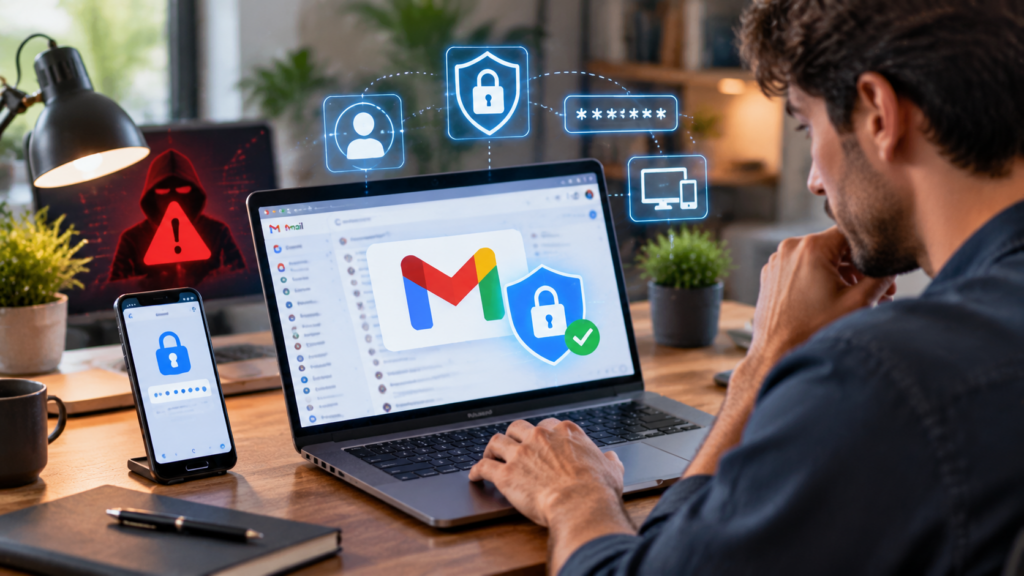
Email accounts have become one of the most important parts of modern digital life. People use Gmail for personal communication, online banking notifications, business conversations, cloud storage access, social media accounts, and countless other services.
Because so much personal information is connected to email, discovering that your Gmail got hacked can be stressful and confusing. A compromised Gmail account may expose private messages, contacts, saved information, and access to other online accounts.
The good news is that many hacked Gmail accounts can be recovered by taking the right steps quickly. Google provides security tools designed to help users regain control, remove unauthorized access, and strengthen account protection.
This guide explains what to do if your Gmail got hacked, how to identify warning signs, how to recover your account, and how to prevent future security problems.
What Does It Mean When Your Gmail Gets Hacked?

A hacked Gmail account means someone else has gained unauthorized access to your email account.
A hacker may access your account through:
- Stolen passwords
- Phishing emails
- Malware
- Data breaches
- Weak security settings
- Unauthorized devices
Once inside your account, attackers may attempt to:
- Read private emails
- Change account settings
- Send messages pretending to be you
- Access connected services
- Steal personal information
Because Gmail is connected to many Google services, protecting your email account is extremely important.
Common Signs Your Gmail Account Has Been Hacked
Recognizing the warning signs early can help reduce damage.
Unexpected Password Changes
One of the clearest signs is discovering that your password no longer works.
If you did not change your password but cannot log in, someone else may have changed it.
Unknown Login Activity
Google tracks account activity.
Suspicious signs may include:
- Logins from unfamiliar locations
- Unknown devices
- Strange browser activity
Reviewing account activity regularly can help identify problems.
Unusual Emails Sent From Your Account
Hackers sometimes use compromised accounts to send spam or scams.
Check your sent folder for messages you did not write.
Security Notifications From Google
Google may send alerts about:
- Suspicious sign-ins
- Password changes
- New devices
Never ignore unexpected security warnings.
Changes to Account Settings
Hackers may modify:
- Recovery email addresses
- Phone numbers
- Email forwarding settings
- Security options
These changes can make account recovery more difficult.
Why Gmail Accounts Are Common Targets
Email accounts contain valuable information.
Hackers target Gmail because it may provide access to:
- Personal conversations
- Financial information
- Business communication
- Password reset links
- Cloud documents
A compromised email account can become a gateway to other online accounts.
What To Do Immediately If Your Gmail Got Hacked
Quick action is important when dealing with account compromise.
Step 1: Try to Sign In Immediately
If you can still access your account:
- Change your password immediately
- Review security settings
- Remove unknown devices
Do not wait, because hackers may continue changing settings.
Step 2: Use Google Account Recovery
If you cannot access your Gmail account, use Google’s account recovery process.
You may need to provide information such as:
- Previous passwords
- Recovery email access
- Phone verification
- Account details
The recovery process helps verify that you are the account owner.
Step 3: Change Your Password
Create a strong and unique password.
A secure password should include:
- A combination of letters
- Numbers
- Symbols
- Sufficient length
Avoid using the same password across multiple websites.
Step 4: Remove Unknown Devices
After regaining access:
Review devices connected to your account.
Remove anything unfamiliar.
This prevents attackers from maintaining access.
Step 5: Check Recovery Information
Hackers often change recovery options.
Review:
- Recovery phone numbers
- Backup email addresses
- Security settings
Make sure all information belongs to you.
How to Recover a Hacked Gmail Account
Google provides several recovery options depending on your situation.
Recovering When You Still Have Access
If you can log in:
- Change your password
- Enable additional security
- Review account activity
- Remove suspicious apps
This is usually the easiest recovery situation.
Recovering When You Are Locked Out
If you cannot sign in:
You may need to verify your identity using:
- Previous passwords
- Trusted devices
- Recovery methods
Providing accurate information improves recovery chances.
Recovering Without a Recovery Email
Some users lose access to their recovery email.
In this situation, Google may ask for additional verification details.
Helpful information may include:
- Account creation details
- Previous passwords
- Regular login locations
Securing Your Gmail After Recovery
Recovering your account is only the first step.
You should strengthen security afterward.
Enable Two-Factor Authentication
Two-factor authentication adds an extra security layer.
Even if someone steals your password, they may still need:
- A verification code
- Security key
- Authentication approval
This significantly improves account protection.
Use a Password Manager
Password managers help create and store strong passwords.
Benefits include:
- Unique passwords
- Better organization
- Reduced password reuse
Review Connected Applications
Many websites request Gmail access.
Check connected apps regularly.
Remove applications you no longer use or recognize.
Update Recovery Information
Keep your:
- Recovery email
- Phone number
up to date.
This helps with future account recovery.
Common Ways Hackers Gain Gmail Access
Understanding common attack methods can help prevent future problems.
Phishing Emails
Phishing is one of the most common hacking methods.
Attackers create fake emails that look legitimate.
They may ask users to:
- Click fake links
- Enter passwords
- Download files
Always verify suspicious messages before taking action.
Weak Passwords
Simple passwords are easier to guess.
Avoid using:
- Names
- Birthdays
- Common words
- Reused passwords
Malware and Viruses
Malicious software can steal login information.
Protect devices by:
- Installing security updates
- Avoiding suspicious downloads
- Using trusted security tools
Public Wi-Fi Risks
Unsecured networks may create security risks.
Avoid accessing sensitive accounts on unknown networks without protection.
Protecting Your Gmail From Future Hacks
Prevention is the best security strategy.
Create Strong Password Habits
Use:
- Unique passwords
- Long combinations
- Password management tools
Be Careful With Links
Before clicking links:
- Check the sender
- Verify the website address
- Avoid urgent suspicious requests
Keep Devices Updated
Security updates fix vulnerabilities.
Regularly update:
- Operating systems
- Browsers
- Apps
Monitor Account Activity
Regularly review:
- Login history
- Connected devices
- Security alerts
Early detection reduces potential damage.
Protecting Other Accounts After Gmail Is Hacked
A hacked Gmail account may affect other services.
Take additional precautions.
Change Important Passwords
Prioritize accounts connected to your email, including:
- Banking services
- Shopping accounts
- Social media
- Work accounts
Check Password Reset Activity
Hackers may attempt to reset passwords for other accounts.
Look for unusual notifications.
Inform Contacts if Needed
If hackers sent messages from your account, notify contacts.
This helps prevent scams.
The Importance of Email Security for Businesses
For businesses, email security is especially important.
A compromised business Gmail account may expose:
- Customer information
- Internal communication
- Company documents
Businesses should use:
- Strong security policies
- Employee training
- Multi-factor authentication
Gmail Security Features You Should Use
Google provides several tools to improve protection.
Security Checkup
Google Security Checkup helps review:
- Account access
- Devices
- Security settings
Login Alerts
Notifications help identify suspicious activity quickly.
Advanced Protection
Users with higher security needs can use stronger protection options.
Frequently Asked Questions About Gmail Got Hacked
What should I do if my Gmail got hacked?
Immediately try to recover your account, change your password, remove unknown devices, and enable additional security features.
Can I recover a hacked Gmail account?
Yes. Google provides account recovery options to help verify ownership and restore access.
How do I know if someone hacked my Gmail?
Signs include unknown logins, password changes, unfamiliar emails, security alerts, and changed account settings.
Can hackers access other accounts through Gmail?
Yes. If your Gmail is connected to other services, attackers may attempt password resets or access linked accounts.
How can I prevent my Gmail from being hacked again?
Use two-factor authentication, strong passwords, updated devices, and careful online habits.
Should I change passwords after my Gmail is hacked?
Yes. Change passwords for important accounts connected to your Gmail, especially if you reused the same password.
Conclusion
Finding out your Gmail got hacked can be alarming, but quick action can help you regain control and protect your information. Recovering your account, changing your password, reviewing security settings, and enabling stronger protection measures are essential steps.
Your Gmail account is often connected to many important parts of your digital life, making email security a priority. By using strong passwords, two-factor authentication, and safe online practices, you can significantly reduce the risk of future attacks.
Cybersecurity requires ongoing attention, but small protective steps can make a major difference in keeping your personal information safe.