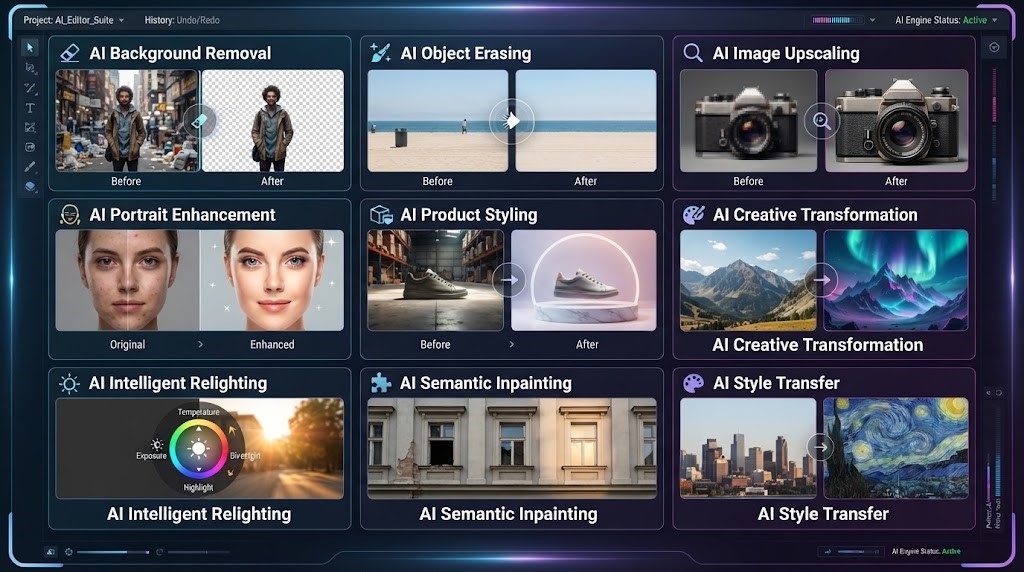
Photo editing has changed dramatically over the last few years. Tasks that once required professional software, detailed tutorials, and hours of manual work can now be completed with artificial intelligence.
An AI Photo Editor gives everyday users, photographers, businesses, marketers, social media creators, and online sellers a faster way to improve images. Instead of manually selecting objects, creating masks, adjusting dozens of sliders, or carefully removing backgrounds pixel by pixel, users can increasingly describe the result they want and allow AI to handle much of the technical work.
Modern tools such as PicEditor AI let users upload an image and describe edits in normal language. Depending on the task, you can remove unwanted objects, replace backgrounds, improve lighting, enhance photo quality, retouch portraits, upscale images, and create new visual styles.
That makes AI photo editing useful not only for experienced designers but also for people who simply want better photos without learning complicated editing software.
What Is an AI Photo Editor?
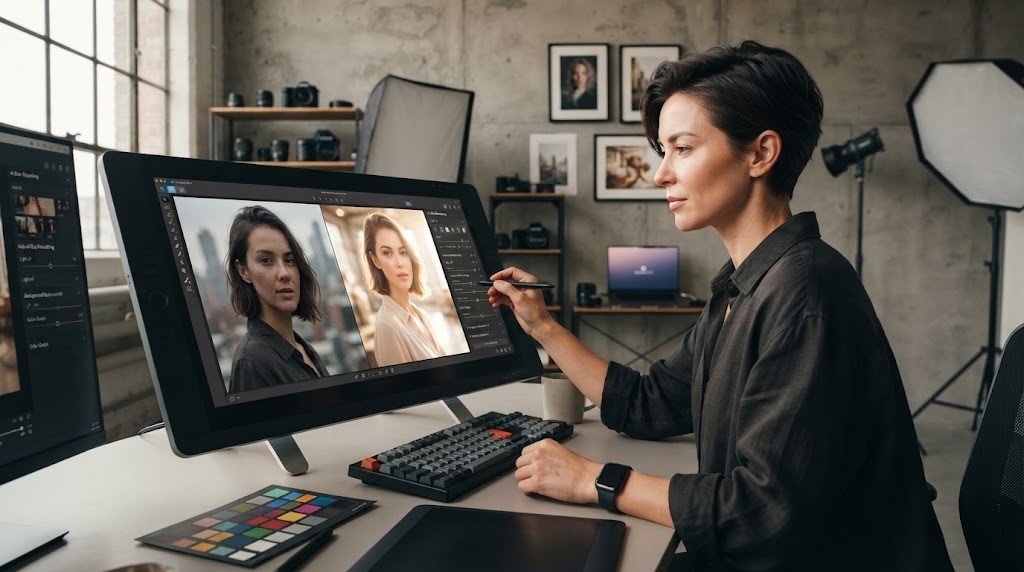
An AI Photo Editor is an image-editing tool that uses artificial intelligence to understand photographs and automatically perform visual changes.
Traditional editing software usually requires users to select the correct tool and manually control the editing process. For example, removing an unwanted object may require selections, cloning, masking, blending, and careful corrections.
AI changes that workflow.
With a prompt-based editor, you can upload an image and give a simple instruction such as:
“Remove the person in the background.”
“Make the product lighting brighter.”
“Replace the background with a professional office.”
“Improve the image quality while keeping the face natural.”
“Turn this photo into a clean product advertisement.”
The AI analyzes the image, interprets the request, and generates an edited version.
PicEditor AI’s current AI Photo Editor follows this type of workflow: users upload an image, enter an editing instruction, generate the result, and can refine the prompt if additional changes are needed.
Why AI Photo Editing Is Becoming So Popular
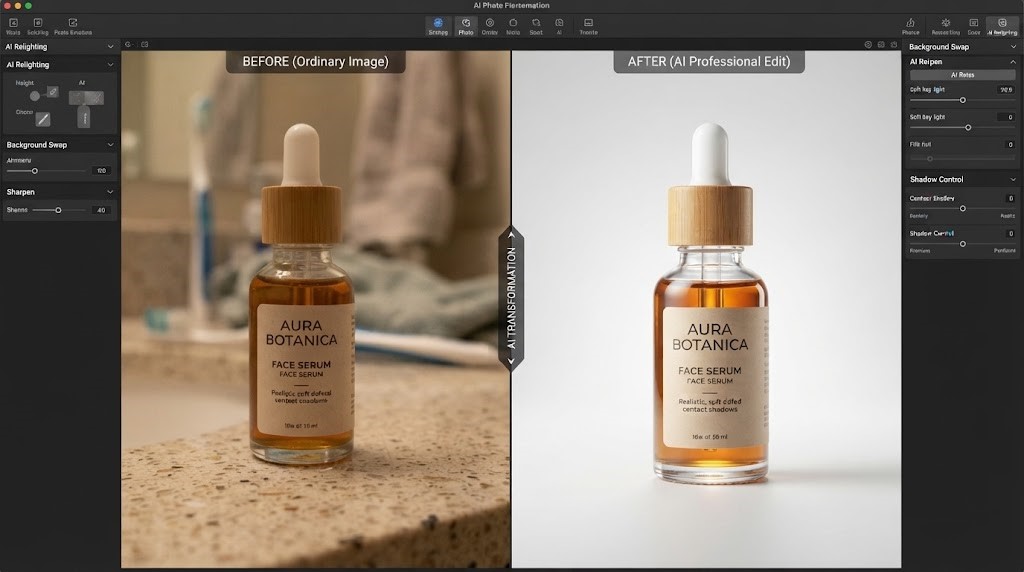
The biggest advantage of AI photo editing is convenience.
High-quality visual content is now important across almost every part of the internet. Businesses need product photos. Social media creators need engaging posts. Professionals need profile pictures. Bloggers need featured images. Online stores need clean product listings.
But not everyone has professional photo-editing experience.
An AI image editor helps close that gap.
Instead of spending hours learning advanced tools, users can focus more on what they want the final image to look like.
Faster Editing
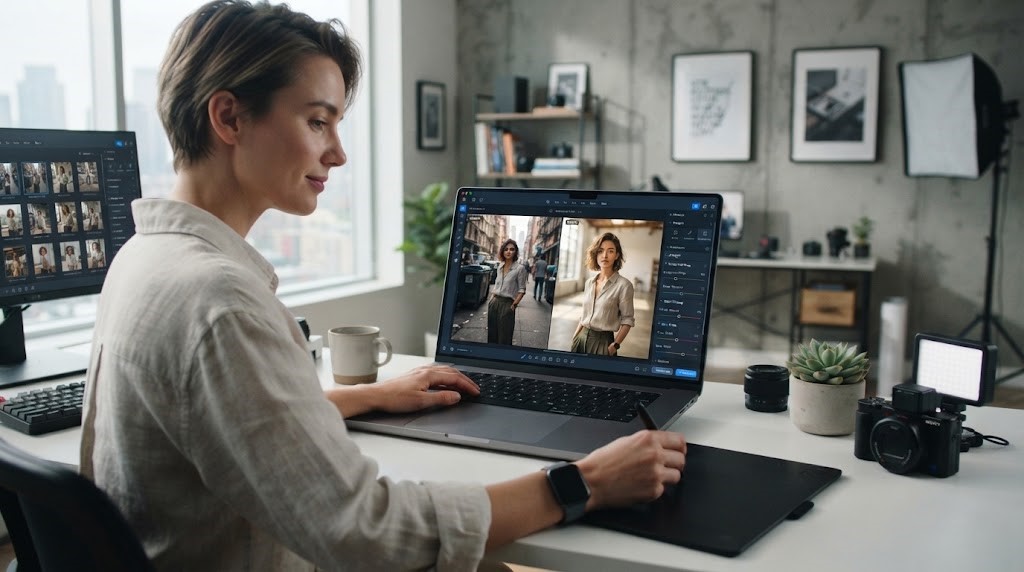
Many common photo-editing tasks can be completed much faster with AI.
Background cleanup, object removal, photo enhancement, and basic retouching often require several manual steps in conventional editing software.
AI can automate much of this process.
Easier for Beginners
One of the biggest barriers to traditional image editing is the learning curve.
Professional editing programs can include hundreds of controls, panels, brushes, adjustment layers, masks, filters, and shortcuts.
With prompt-based AI photo editing, the interface can be much simpler. PicEditor AI, for example, allows users to describe changes using everyday instructions rather than requiring advanced manual editing knowledge.
Useful for Many Types of Images
An AI Photo Editor is not limited to one kind of photography.
It can help with portraits, product photography, marketing images, social media visuals, travel photos, profile pictures, website graphics, and many other types of content.
What Can You Do With an AI Photo Editor?
Today’s AI editing platforms offer a wide range of tools.
PicEditor AI currently provides dedicated options for background removal, image enhancement, object cleanup, image upscaling, background changes, photo restyling, face editing, image restoration, text editing, image expansion, and other specialized workflows.
Here are some of the most practical uses.
Remove Unwanted Objects From Photos
Almost everyone has taken a great photo only to notice something distracting in the background.
It might be another person, a trash can, a sign, a cable, an unwanted object, or visual clutter.
An AI object remover can identify the unwanted area and rebuild the background after the object is removed.
This is useful for:
- Travel photography
- Real estate photos
- Product photography
- Social media images
- Portraits
- Marketing visuals
Instead of manually cloning nearby pixels, AI can attempt to reconstruct the missing area naturally.
PicEditor AI includes object-removal and cleanup workflows designed to remove distractions, people, text marks, and background clutter.
Change or Remove Photo Backgrounds
Background editing is another popular use of AI.
A good background can completely change the appearance of an image.
Imagine photographing a product on your kitchen table but needing a professional white background for an online store. An AI background remover can separate the main subject from its surroundings and help create a cleaner presentation.
Background replacement can also place a person or product into a different environment.
You might change:
- A bedroom into a professional studio
- A cluttered wall into a clean office
- A product background into pure white
- An outdoor setting into a modern city scene
- A basic product photo into a lifestyle environment
PicEditor AI supports background removal and background-changing workflows for portraits, products, marketing images, and social media content.
Enhance Photo Quality With AI
Sometimes a photo does not need a complete transformation. It simply needs to look better.
An AI photo enhancer can help improve overall visual clarity by working on areas such as lighting, sharpness, color, and detail.
This can be useful when a photograph appears:
- Slightly blurry
- Too dark
- Flat or dull
- Low quality
- Poorly balanced
- Lacking detail
AI enhancement can be particularly helpful for older smartphone photos or images intended for websites, social media, and marketing.
The goal should usually be improvement without making the image look unnatural.
Upscale Low-Resolution Images
Image size becomes important when a photo needs to be displayed on a large screen, printed, used in advertising, or uploaded to a website at higher resolution.
Simply stretching a small image can make it blurry.
An AI image upscaler uses artificial intelligence to increase image resolution while attempting to preserve or reconstruct visual details.
PicEditor AI currently includes image upscaling among its available AI image tools.
This can be especially useful for:
- E-commerce images
- Old photographs
- Social media content
- Website banners
- Marketing graphics
- Presentations
- Digital advertisements
Retouch Portraits Naturally
Portrait editing is another area where AI can save significant time.
An AI portrait editor can help adjust lighting, improve skin appearance, remove small distractions, refine the background, and create a more polished image.
The key is natural editing.
Heavy retouching can make faces look artificial. Good AI photo editing should improve the photograph while keeping the person recognizable.
PicEditor AI describes its portrait-editing approach as designed to maintain realistic features while refining the image.
This can make AI editing useful for professional headshots, dating profiles, social media photos, resumes, company websites, and personal photographs.
Improve Product Photos for E-Commerce
Product photography has a major influence on online shopping.
Customers cannot physically hold an online product, so photographs play an important role in showing its appearance and presentation.
An AI product photo editor can help sellers turn simple product photos into cleaner marketing visuals.
AI can assist with:
- Background removal
- White background creation
- Lighting improvement
- Shadow refinement
- Object cleanup
- Color correction
- Product scene creation
- Image sharpening
PicEditor AI identifies product listings, advertisements, thumbnails, social posts, and marketing images among the practical uses for its photo-editing tools.
For small businesses without professional photography studios, this can make content creation much more accessible.
Create Better Social Media Content
Social media platforms are highly visual.
Whether you are posting on Instagram, Facebook, Pinterest, LinkedIn, or another platform, better images can help your content appear more professional.
An AI Photo Editor can help creators quickly prepare images by improving lighting, changing backgrounds, cleaning distractions, resizing compositions, and experimenting with different styles.
Instead of creating every visual from scratch, creators can improve photographs they already have.
This makes AI editing especially useful for creators who publish content frequently.
Restore Old or Damaged Photos
Older photographs can contain scratches, faded colors, blur, discoloration, and other imperfections.
AI photo restoration tools can help improve some of these images digitally.
Depending on the photograph, AI may help enhance facial details, improve contrast, restore color balance, or reduce visible damage.
PicEditor AI currently includes AI photo restoration among its image tools.
Family photos are especially valuable, so users should keep the original file and treat AI-restored versions as edited interpretations rather than replacements for the original photograph.
How to Use an AI Photo Editor
The process is generally simple.
Step 1: Upload Your Photo
Choose the image you want to edit.
Using the clearest available original usually gives AI more visual information to work with.
Step 2: Describe the Change
Write a clear prompt explaining exactly what you want.
For example:
“Remove the car behind the person and keep everything else unchanged.”
Specific instructions usually work better than vague requests.
Step 3: Generate the Edit
The AI analyzes the original image and your instructions before generating a new version.
PicEditor AI’s current editor also provides output options including multiple aspect ratios and resolutions up to 4K for supported workflows.
Step 4: Review the Result
Check important details carefully.
Look at faces, hands, text, products, shadows, edges, and small background elements.
Step 5: Refine Your Prompt
If something is not right, adjust the instruction rather than changing everything at once.
For example:
“Keep the original person’s face unchanged. Only make the background brighter.”
Clear, focused prompts can make the editing process easier.
Tips for Getting Better AI Photo Editing Results
A powerful AI tool still depends on good instructions.
Try to describe what should change and what should remain unchanged.
Instead of writing:
“Make this better.”
Try:
“Improve the lighting, sharpen the product, remove background clutter, and keep the product shape and colors unchanged.”
Another useful strategy is making one major edit at a time. PicEditor AI’s own guidance recommends giving clear instructions and preserving important details such as faces, products, composition, and lighting when necessary.
AI Photo Editor vs. Traditional Photo Editing Software
Traditional photo editors still have important advantages.
Professional designers may need exact pixel-level control, detailed compositing, advanced color management, complex masking, or specialized production workflows.
AI editing offers a different strength: speed and accessibility.
For quick edits, marketing visuals, personal photos, product images, and everyday content creation, AI can remove many technical barriers.
The two approaches can also work together. AI can handle the initial cleanup or transformation, while traditional software can be used for final precision adjustments.
Frequently Asked Questions About AI Photo Editors
What is an AI Photo Editor?
An AI Photo Editor uses artificial intelligence to understand images and perform edits such as background removal, object cleanup, photo enhancement, portrait retouching, and image transformations.
Can AI edit photos from text instructions?
Yes. Prompt-based photo editors allow you to upload an image and describe the desired change using normal language.
Can AI remove objects from a picture?
Yes. AI object-removal tools can remove unwanted items and attempt to reconstruct the area behind them naturally.
Can an AI Photo Editor change backgrounds?
Yes. AI tools can remove, clean, or replace backgrounds while keeping the main subject in the image.
Can AI improve blurry or low-quality photos?
AI enhancement and upscaling tools can often improve sharpness, clarity, resolution, lighting, and other visual qualities. Results depend on the quality of the original photo.
Is AI photo editing useful for businesses?
Yes. Businesses can use AI editing for product photos, advertisements, websites, social media content, presentations, profile photos, and other marketing materials.
Do I need professional editing experience?
Not necessarily. Prompt-based editors are designed to make many editing tasks accessible without requiring knowledge of complex layers, masks, or brushes.
Can AI Photo Editors create professional product images?
They can help improve backgrounds, lighting, sharpness, presentation, and overall consistency. Businesses should still review generated images carefully to make sure products are represented accurately.
Conclusion
An AI Photo Editor makes sophisticated image editing available to far more people.
Instead of spending hours learning complicated software, users can increasingly upload a photo, describe the desired result, and let artificial intelligence handle much of the technical editing process.
From removing unwanted objects and replacing backgrounds to enhancing image quality, retouching portraits, restoring old photos, creating product visuals, and preparing social media content, AI can simplify many everyday editing tasks.
Platforms such as PicEditor AI combine multiple AI image workflows in one place, including background removal, enhancement, object cleanup, upscaling, face editing, photo restoration, and prompt-based image transformation.
The best results still come from good source images, clear instructions, and careful review. AI does not eliminate creativity. Instead, it can remove technical barriers between an idea and the finished image.
As artificial intelligence continues to improve, photo editing is likely to become even more conversational, flexible, and accessible. For businesses, creators, photographers, marketers, online sellers, and everyday users, learning how to use an AI Photo Editor can make creating high-quality visual content faster and easier than ever before.