A desk may look like one of the simplest pieces of furniture in a room, but it can have a major influence on how comfortably and efficiently you work.
The right desks provide enough room for monitors, laptops, keyboards, paperwork, and other everyday equipment without making a workspace feel crowded. They also need to fit the user’s body, the available floor space, the type of work being performed, and the overall design of the office.
This matters whether you are furnishing one small home office or designing workstations for an entire company.
Modern desk choices extend far beyond a basic rectangular table. Businesses and homeowners can now choose from straight desks, L-shaped configurations, corner workstations, executive desks, height-adjustable standing desks, home-office desks, student desks, and multi-person workstation systems.
Elite Office Furniture’s current desk range, for example, separates its collection into categories including straight, corner, L-shaped, standing, manager, home-office, and student desks, alongside cable-management and monitor-arm accessories.
Understanding how these desk types differ can help you create a workspace that is functional instead of simply attractive.
Why Choosing the Right Desk Matters
People who work on computers may spend several hours each day at the same workstation.
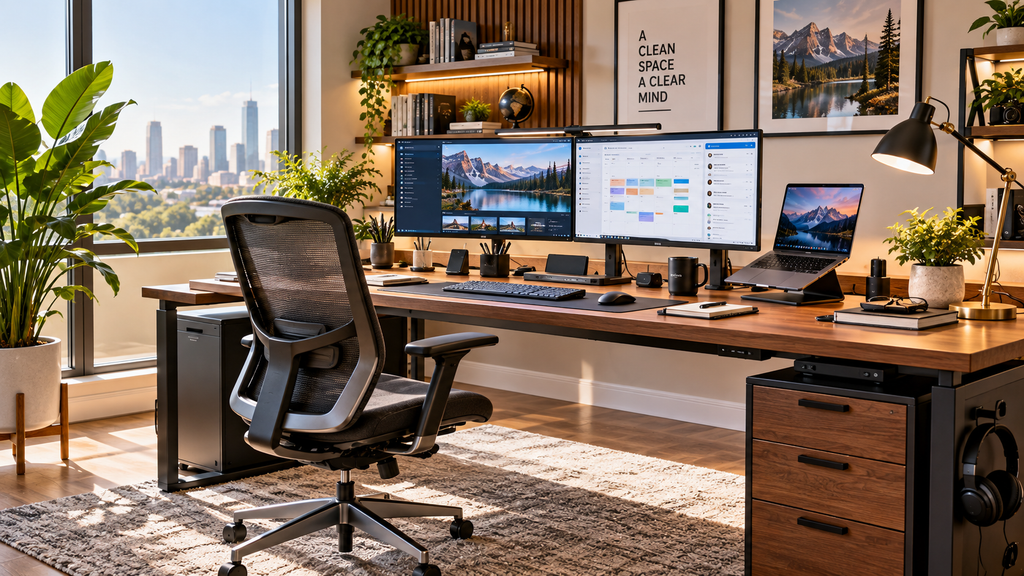
A desk that is too small can force the monitor, keyboard, mouse, documents, and accessories into awkward positions. A desk that is too high or too low can also make it difficult to maintain a comfortable working position.
The Occupational Safety and Health Administration notes that a properly designed and adjusted desk should provide sufficient leg clearance, allow computer components to be positioned correctly, and help minimize awkward postures.
Space is equally important.
You may love the look of a large executive desk, but it will not improve your office if it leaves no room to move around. Likewise, a tiny writing desk may fit perfectly into a small room but become frustrating if you regularly use two large monitors and paperwork.
The best choice starts with understanding how the desk will actually be used.
Main Types of Desks
Different layouts solve different workspace problems.
Straight Desks
A straight desk is one of the most versatile options.
It normally consists of a single rectangular work surface and can fit against a wall, in a private office, or as part of a larger workstation layout.
Straight desks work especially well for:
- Laptop users
- Single-monitor setups
- General office work
- Student rooms
- Small home offices
- Reception or administrative work
Elite Office Furniture currently includes straight desks as one of its main desk categories, with options ranging from simple individual work surfaces to screened single-person workstations.
A straight desk is often a sensible choice when simplicity and efficient use of floor space are priorities.
L-Shaped Desks
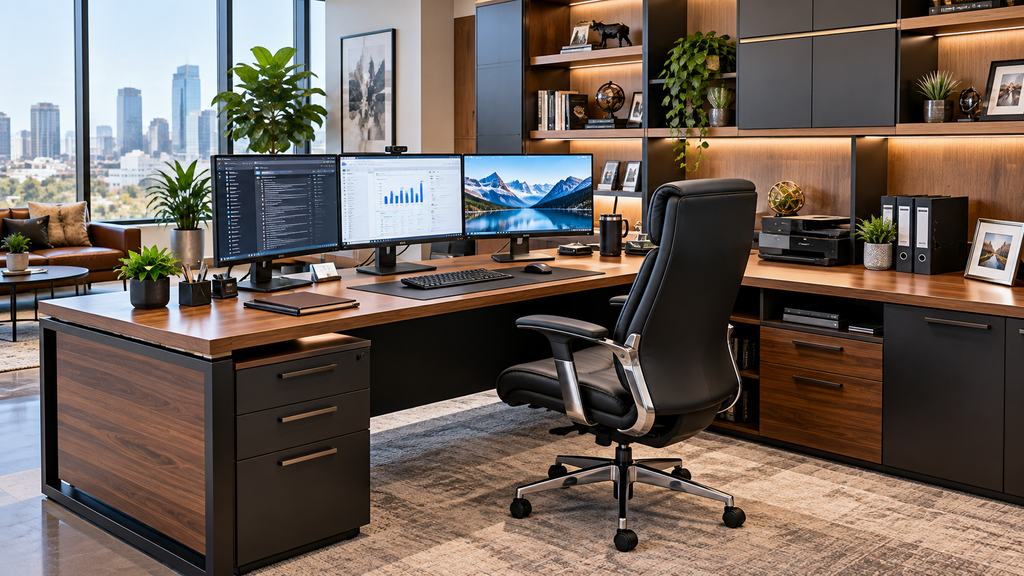
An L-shaped desk provides two connected work surfaces.
This additional surface area can be useful for people who switch between computer work and paperwork throughout the day.
One section might hold a computer setup while the return holds files, documents, a printer, or another monitor.
L-shaped designs can work well for:
- Managers
- Designers
- Accountants
- Sales professionals
- Multi-monitor users
- Home offices with enough floor space
Elite Office Furniture’s current range includes dedicated L-shaped and desk-and-return configurations alongside its standard straight desks.
Before choosing one, measure both walls or floor directions carefully because the return substantially increases the desk’s footprint.
Corner Desks
Corner desks are designed to make better use of room corners.
This can provide extra desk depth and working space without placing a large rectangular desk in the middle of the room.
OSHA specifically notes that corner work surfaces can provide additional depth for monitors and other equipment.
This can be particularly useful when you use a large screen or multiple monitors.
Corner desks are also popular in offices where maximizing available floor space is more important than creating a formal executive appearance.
Standing and Height-Adjustable Desks
Height-adjustable desks have become a major part of contemporary office design.
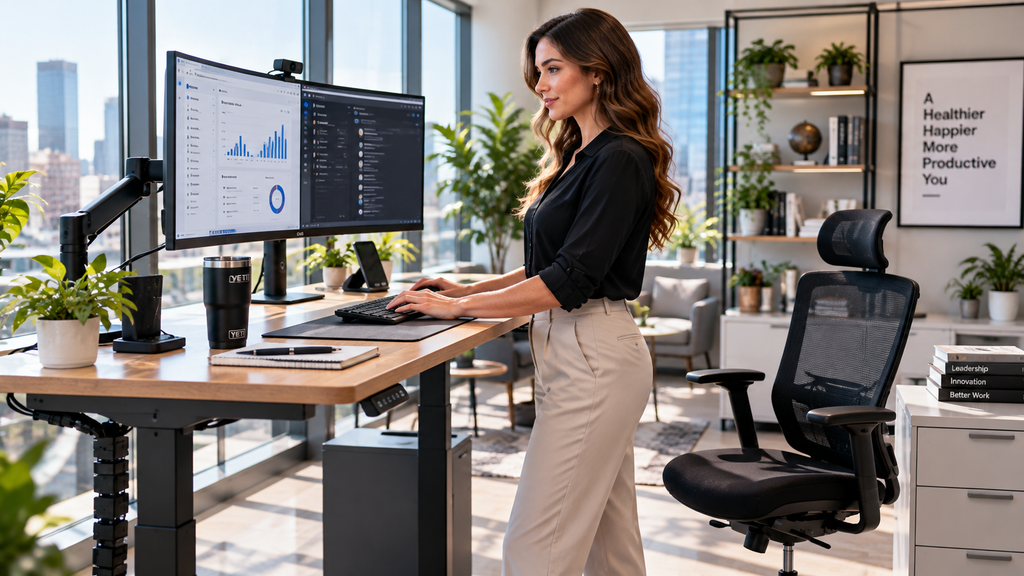
Electric standing desks allow users to raise or lower the work surface, making it possible to change between seated and standing positions.
Elite Office Furniture’s current selection includes electric height-adjustable executive desks and workstations as well as standard standing-desk categories.
Why Adjustability Matters
People are different heights, so one fixed desk height cannot perfectly fit everyone.
A height-adjustable surface makes it easier to position the keyboard and mouse at a comfortable level.
OSHA recommends keeping shoulders relaxed, elbows close to the body, and wrists approximately in line with the forearms when using a keyboard. It also notes that adjustable work surfaces can help accommodate different users and working positions.
The goal is not simply to stand all day.
A more practical approach is to use adjustability to change working positions and configure the workstation around your body.
Executive and Manager Desks
Executive desks generally offer more surface area and a stronger visual presence than basic office desks.
They may include:
- Large work surfaces
- Desk returns
- Integrated cabinetry
- Drawers
- Credenzas
- Cable access
- Premium finishes
They work well in management offices where meetings, paperwork, computer work, and storage all need to happen in the same space.
Elite Office Furniture currently groups dedicated manager desks in its collection and offers executive desk-and-cabinet combinations, including fixed and electric height-adjustable versions.
For a U.S. office, however, room measurements should determine the final choice. Leave enough clearance behind the chair and around the desk for comfortable movement.
Choosing Desks for a Home Office
A home office usually has different limitations from a commercial workplace.
You may be trying to create a productive workstation inside:
- A spare bedroom
- A living room
- A bedroom corner
- A loft
- A converted basement
- A small dedicated office
Start with what you actually need on the desktop.
A laptop-only worker may be comfortable with a compact desk. Someone working with two monitors, a docking station, keyboard, notebooks, and speakers may need considerably more depth and width.
Elite Office Furniture lists home-office desks separately from commercial and manager desk categories, reflecting the different layouts users may need in smaller spaces.
Measure Before You Buy
Measure:
- Available wall width
- Available room depth
- Door clearance
- Chair movement
- Nearby electrical outlets
- Window placement
- Storage requirements
Do not choose a desk based on width alone.
Depth is particularly important for computer work.
OSHA recommends enough desk depth to keep a monitor at least 20 inches from the user’s eyes and notes a generally preferred viewing distance of approximately 20 to 40 inches, depending on the monitor and user.
What Size Desk Do You Need?
There is no single ideal desk size.
The correct dimensions depend on your equipment and work style.
Compact Desk
A compact desk may be suitable for:
- Laptop work
- Studying
- Occasional remote work
- Small apartments
- Limited floor space
Medium Desk
A medium-sized work surface can accommodate a monitor, laptop or docking station, keyboard, mouse, and a small amount of paperwork.
This is often enough for a typical home-office setup.
Large Desk
Larger desks are useful for:
- Dual or triple monitors
- Creative work
- Large documents
- Management roles
- Frequent meetings
- Multiple devices
OSHA recommends a work surface large enough for the monitor, keyboard, pointing device, and other frequently used items while keeping those components directly in front of the user when practical.
The best desk is therefore not necessarily the largest one you can fit. It is the one that gives your essential equipment enough space without wasting the room.
Ergonomic Desk Setup
Purchasing a good desk is only the beginning.
How you arrange it matters just as much.
Position the Monitor Correctly
OSHA recommends positioning the main monitor directly in front of the user, at least 20 inches away, with the top line of the screen approximately at or below eye level.
If you use several monitors, your most frequently used screen should generally remain in the primary viewing position.
Monitor arms can help free up desktop space while allowing screen height and angle adjustment.
Elite Office Furniture lists monitor arms and cable-management products alongside its desk categories, reflecting how these accessories can become part of the complete workstation rather than separate afterthoughts.
Keep the Keyboard and Mouse Close
Your keyboard should not force you to stretch forward.
OSHA recommends placing it directly in front of you while keeping elbows close to the body and shoulders relaxed.
The mouse should also remain close enough that you do not repeatedly extend your arm.
Keep Leg Space Clear
The area underneath the desk should not become a storage cabinet.
Boxes, computer equipment, bags, and other objects can restrict leg movement.
OSHA recommends maintaining sufficient clearance under the work surface and avoiding unnecessary items that limit foot and leg space.
Desk Materials and Finishes
The surface material affects appearance, maintenance, durability, and price.
Laminate and Melamine
These engineered surfaces are common in commercial offices because they can provide a consistent finish at a practical cost.
Popular visual styles include:
- White
- Natural oak
- Walnut
- Beech
- Dark wood tones
Elite Office Furniture’s current ranges show combinations including white, oak, walnut-style, and darker frame finishes across individual desks and workstations.
Wood
Solid or veneered wood can create a warmer and more traditional feel.
It is often chosen for executive offices or home workspaces where furniture appearance is a major consideration.
Metal Frames
Powder-coated or finished metal frames are common in contemporary office desks.
They can create a clean modern appearance and are frequently combined with wood-look or white desktops.
Cable Management Should Not Be Ignored
Modern offices require power.
A typical workstation may include:
- Monitor cables
- Laptop charger
- Phone charger
- Docking station
- Speakers
- Desk lamp
- Ethernet cable
- Power strip
Without a plan, even an attractive desk can quickly become cluttered.
Look for cable trays, access ports, under-desk baskets, clips, and other routing options.
Cable management also makes it easier to clean the workspace and can help prevent cords from interfering with chair movement.
For standing desks, cable planning becomes especially important because the cables need enough slack to accommodate the full height range without pulling loose.
Desks for Commercial Offices
Commercial office planning introduces another challenge: consistency across multiple users.
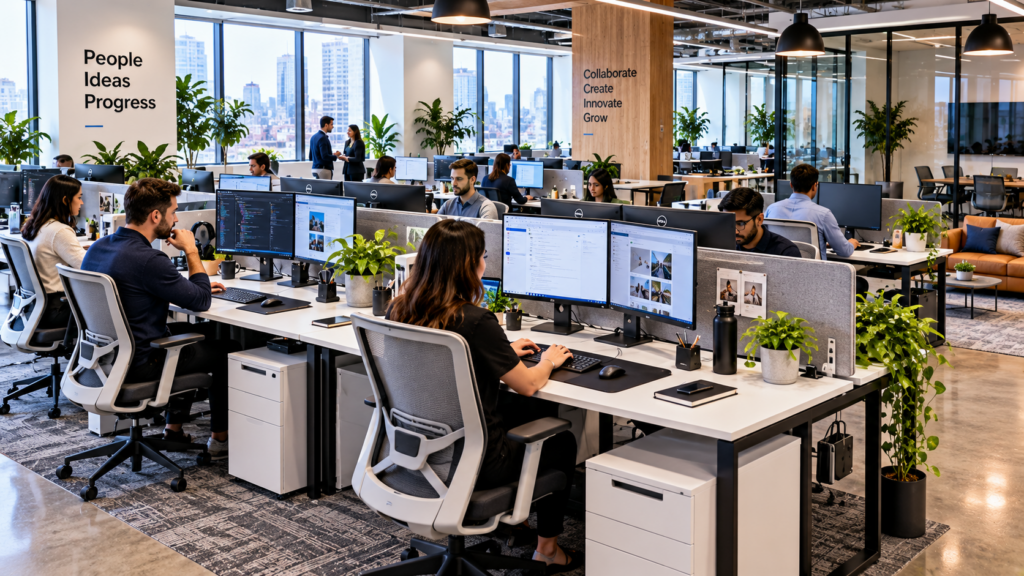
A business may need individual desks, shared workstations, manager desks, meeting areas, and collaborative spaces.
Multi-user workstation systems can reduce the amount of floor space used per employee while maintaining an organized layout.
Elite Office Furniture’s broader workstation collection currently includes one-person through 10-person configurations, corner workstations, height-adjustable layouts, and partitioned systems.
Screens can also help create visual separation between adjacent workers.
When planning a larger U.S. office, think beyond the individual desk. Consider circulation routes, accessibility, power access, acoustics, storage, meeting requirements, and future employee growth.
Common Desk-Buying Mistakes
A few mistakes appear repeatedly.
Buying Based Only on Appearance
A beautiful desk is not useful if your monitor barely fits on it.
Start with functional requirements.
Ignoring Desk Depth
People often focus on width while forgetting how far the monitor should sit from their eyes.
Computer setups generally need more depth than laptop-only work.
Forgetting the Chair
The chair and desk must work together.
Check armrest clearance, seat height, and available legroom before finalizing the workspace.
No Cable Plan
Think about power before installation rather than after computers are already on the desk.
Choosing Too Much Furniture
Large executive furniture can make a small office feel cramped.
A clean straight or corner desk may provide a better working environment.
Frequently Asked Questions About Desks
What type of desk is best for a home office?
It depends on your room and equipment. Straight desks work well in compact areas, while L-shaped or corner desks provide more surface space for monitors, paperwork, and multiple tasks.
How deep should a computer desk be?
The desk should provide enough depth to position the monitor comfortably. OSHA recommends keeping the monitor at least 20 inches from the eyes and generally identifies 20 to 40 inches as a preferred viewing-distance range.
Are standing desks better than regular desks?
Height-adjustable desks provide more flexibility because users can change working positions and tailor the surface height to their body. A well-adjusted seated workstation can also be comfortable, so standing is not the only factor that matters.
What is the advantage of an L-shaped desk?
An L-shaped design provides two connected surfaces, giving you more room for computer equipment, documents, meetings, or separate work zones.
Are corner desks good for multiple monitors?
They can be. OSHA notes that corner work surfaces may provide additional desk depth, which can help when accommodating larger monitors or more equipment.
What should I keep under my desk?
Ideally, very little. Keep enough clear space for your legs and feet rather than filling the area with boxes, computer towers, or storage that restricts movement.
What color desk is best for a modern office?
White, natural wood, walnut-style, and black-and-wood combinations are all common. Choose a finish that coordinates with flooring, walls, chairs, storage, and the overall brand or interior design.
Do I need a monitor arm?
Not necessarily, but monitor arms can free up desk space and provide greater flexibility for screen height and position.
What desk is best for a small room?
A compact straight desk or carefully sized corner desk usually makes efficient use of limited space. Measure the room, chair clearance, and equipment before purchasing.
What types of desks does Elite Office Furniture offer?
Its current desk categories include straight, corner, L-shaped, standing, manager, home-office, and student desks, along with workstation accessories such as monitor arms and cable-management products.
Conclusion
The right desks do much more than provide somewhere to place a computer.
They influence how equipment is organized, how efficiently room space is used, how comfortably users can position monitors and keyboards, and how professional the overall workspace feels.
Straight desks offer simple flexibility. Corner and L-shaped desks provide extra working area. Executive desks create larger management workspaces, while electric height-adjustable desks give users greater control over working position.
The broad collection offered by Elite Office Furniture illustrates how many configurations are now available, including straight, corner, L-shaped, standing, manager, home-office, and multi-person workstation options.
But style should never be the only deciding factor.
Measure the room, list the equipment you use every day, consider monitor distance, leave sufficient leg clearance, plan cable routing, and think about whether your workspace needs to adapt to different users.
OSHA’s workstation guidance reinforces the importance of adequate desk space, monitor positioning, clear legroom, and arranging keyboards and other frequently used equipment to reduce awkward postures.
Whether you are building a small home office or furnishing a large workplace, choosing a desk around the person and the work being performed is more effective than simply buying the biggest or most fashionable option.
A thoughtfully selected desk becomes the foundation of the entire workspace—supporting organization, comfort, technology, and productivity every day.