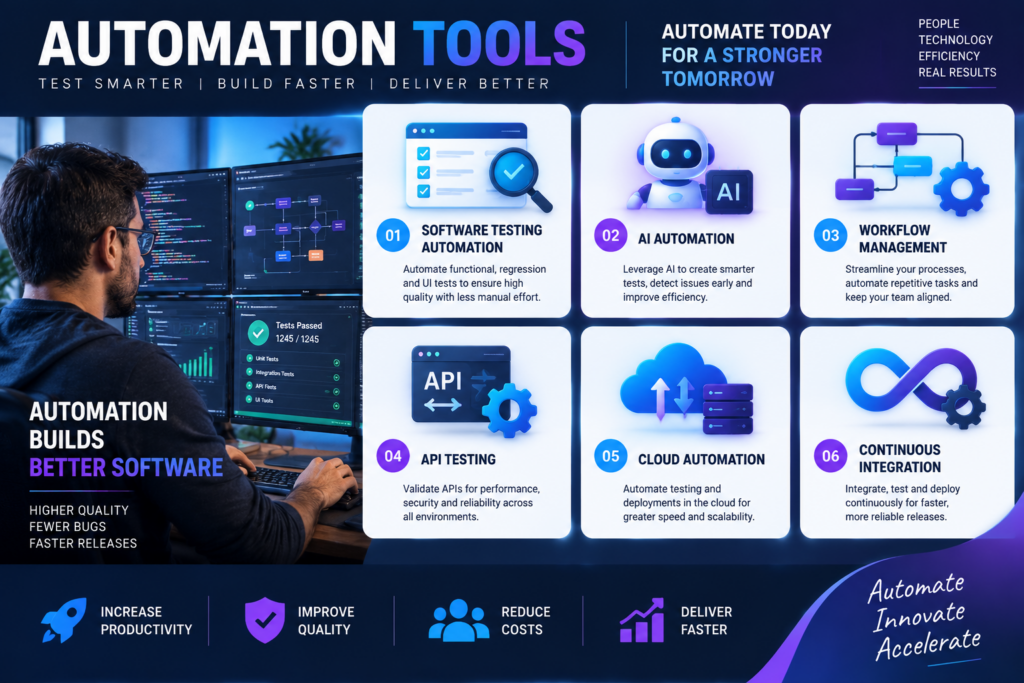
Automation has become one of the most important technologies helping businesses improve efficiency, reduce repetitive tasks, and deliver better digital experiences. From software testing and development to business workflows and customer service, automation tools allow teams to complete tasks faster while reducing human errors.
As companies continue adopting digital transformation strategies, choosing the right automation solution has become increasingly important. The right platform can help organizations improve productivity, increase software quality, accelerate development cycles, and reduce operational costs.
Businesses today have access to hundreds of automation platforms designed for different purposes. Some tools focus on test automation, while others help automate marketing, workflows, data processing, infrastructure management, and business operations.
Understanding the top tools for automation can help organizations select solutions that match their goals, technical requirements, and business needs.
This guide explores popular automation tools, their features, benefits, use cases, and how companies can choose the right automation technology for their teams.
What Are Automation Tools?

Automation tools are software platforms designed to perform tasks automatically with minimal human involvement.
Instead of manually completing repetitive processes, businesses can use automation tools to create workflows, run tests, manage data, and perform actions based on predefined rules.
Examples of automation tasks include:
- Software testing
- Data entry automation
- Application monitoring
- Workflow management
- Marketing automation
- Infrastructure management
- Customer support automation
Automation helps teams save time and focus on higher-value activities.
Why Automation Tools Are Important for Businesses
Modern businesses operate in highly competitive environments where speed, accuracy, and efficiency matter.
Automation tools provide several advantages:
Increased Productivity
Manual tasks often consume valuable employee time.
Automation allows teams to complete repetitive activities faster, enabling employees to focus on strategic work.
For example, software testing teams can automate repeated test cases instead of manually testing the same features after every update.
Reduced Human Errors
Manual processes can lead to mistakes, especially when tasks involve large amounts of data or repetitive actions.
Automation improves consistency by following predefined instructions every time.
Faster Software Development
Development teams use automation tools to speed up testing, deployment, and monitoring.
Automation supports:
- Continuous integration
- Continuous delivery
- Faster releases
- Better software quality
Cost Savings
Although automation tools require investment, they can reduce long-term operational costs by improving efficiency and reducing manual workload.
Types of Automation Tools
Before exploring the top tools for automation, it is important to understand the different categories available.
Test Automation Tools
Test automation tools help software teams automatically test applications.
They can perform:
- Functional testing
- Regression testing
- Performance testing
- API testing
- Mobile application testing
These tools help identify bugs quickly and improve software reliability.
Workflow Automation Tools
Workflow automation platforms help businesses connect applications and automate business processes.
Common uses include:
- Data synchronization
- Email automation
- Approval workflows
- Task management
Robotic Process Automation (RPA) Tools
RPA tools use software bots to complete repetitive business tasks.
Examples include:
- Data extraction
- Invoice processing
- Report generation
- Customer information updates
Infrastructure Automation Tools
Infrastructure automation helps IT teams manage servers, cloud environments, and deployments.
These tools support:
- Configuration management
- Cloud provisioning
- System monitoring
Top Tools for Automation Testing
Software testing automation is one of the most popular areas where automation tools are used.
The following platforms are widely recognized for helping teams improve testing efficiency.
Selenium
Selenium is one of the most popular open-source automation testing frameworks.
It is mainly used for web application testing and supports multiple programming languages, including:
- Java
- Python
- C#
- JavaScript
Key features include:
- Browser automation
- Cross-platform support
- Large developer community
- Flexible testing options
Selenium is widely used by organizations that need customizable web testing solutions.
However, because Selenium requires programming knowledge, teams may need experienced developers to create and maintain test scripts.
ACCELQ
ACCELQ is a cloud-based test automation platform designed to simplify automated testing.
It supports automation across:
- Web applications
- Mobile applications
- APIs
- Desktop applications
Important features include:
- AI-powered automation
- No-code test creation
- Continuous testing support
- Test management capabilities
ACCELQ helps organizations reduce testing complexity by allowing teams to create automated workflows with less coding effort.
For businesses looking for scalable automation solutions, platforms like ACCELQ are often considered among the top tools for automation.
Cypress
Cypress is a modern testing framework designed primarily for web applications.
It is popular among frontend developers because it provides:
- Fast test execution
- Easy debugging
- Real-time browser interaction
- Developer-friendly features
Cypress is commonly used for:
- End-to-end testing
- Integration testing
- Component testing
It is especially popular among teams working with modern JavaScript frameworks.
TestComplete
TestComplete is a commercial automation testing platform that supports multiple application types.
It can automate testing for:
- Web applications
- Desktop applications
- Mobile apps
Features include:
- Script-based testing
- Keyword-driven testing
- Object recognition
- Test recording
TestComplete is often used by enterprise teams that require comprehensive testing capabilities.
Appium
Appium is an open-source automation framework designed for mobile application testing.
It supports:
- Android applications
- iOS applications
- Hybrid mobile apps
Benefits include:
- Cross-platform testing
- Multiple language support
- Reusable test scripts
Appium is commonly used by mobile development teams that need automated testing solutions.
Playwright
Playwright is a modern automation framework developed for browser testing.
It supports:
- Chromium
- Firefox
- WebKit
Features include:
- Fast browser automation
- Cross-browser testing
- Reliable test execution
- Modern web application support
Playwright has become popular among development teams building complex web applications.
Top Workflow Automation Tools
Automation extends beyond software testing. Many businesses use workflow automation platforms to improve daily operations.
Zapier
Zapier is a popular workflow automation platform that connects different applications.
Businesses use Zapier to automate tasks such as:
- Email notifications
- Data transfer
- Marketing workflows
- Customer management
It supports thousands of applications, making it useful for businesses of different sizes.
Microsoft Power Automate
Microsoft Power Automate helps organizations automate workflows across Microsoft and third-party applications.
Common uses include:
- Business approvals
- Data collection
- Document workflows
- Automated notifications
It integrates well with Microsoft 365 products.
Make
Make is a visual automation platform that allows users to create complex workflows.
Features include:
- Drag-and-drop workflow building
- Application integrations
- Data processing automation
It is useful for businesses that want flexible automation without heavy programming.
Top RPA Automation Tools
Robotic Process Automation has become increasingly popular for automating repetitive office tasks.
UiPath
UiPath is one of the leading RPA platforms.
It helps businesses automate:
- Data processing
- Administrative tasks
- Customer operations
- Financial workflows
Features include:
- Software bots
- Process monitoring
- Enterprise automation management
Automation Anywhere
Automation Anywhere provides enterprise automation solutions.
Organizations use it for:
- Digital workforce management
- Business process automation
- Data handling
It combines automation capabilities with analytics and cloud technology.
Blue Prism
Blue Prism focuses on enterprise-grade robotic process automation.
It helps organizations automate repetitive processes while maintaining security and compliance.
How to Choose the Right Automation Tool
Selecting the right automation tool depends on several factors.
Define Your Automation Goals
Start by identifying what you want to automate.
Ask questions such as:
- Are you automating software testing?
- Do you need workflow automation?
- Are you reducing manual business tasks?
Clear goals make tool selection easier.
Consider Technical Requirements
Different tools require different levels of technical knowledge.
Some platforms are designed for developers, while others provide no-code interfaces.
Consider:
- Team skills
- Programming requirements
- Integration needs
Evaluate Scalability
A tool should support future growth.
Consider whether the platform can handle:
- More users
- More applications
- Larger workflows
- Increased testing requirements
Check Integration Options
The best automation tools connect easily with existing systems.
Look for compatibility with:
- Cloud platforms
- Development tools
- Business applications
- Databases
Analyze Cost and ROI
Consider:
- Licensing fees
- Implementation costs
- Training requirements
- Long-term benefits
The cheapest tool is not always the most cost-effective option.
Benefits of Using the Top Tools for Automation
Companies that successfully implement automation can experience significant improvements.
Improved Efficiency
Automation reduces time spent on repetitive activities.
Better Accuracy
Automated processes follow consistent rules and reduce mistakes.
Faster Decision Making
Automation can provide faster access to information through automated reporting and analysis.
Improved Customer Experience
Businesses can respond faster and provide better service through automated systems.
Common Challenges When Implementing Automation
Although automation provides many benefits, businesses should understand potential challenges.
Initial Setup Costs
Automation requires investment in tools, training, and implementation.
Employee Training
Teams may need time to learn new platforms.
Maintenance Requirements
Automation workflows require updates as systems and processes change.
Choosing the Wrong Tool
Selecting a tool without proper research can create unnecessary complexity.
Future Trends in Automation
Automation technology continues evolving rapidly.
Future developments include:
Artificial Intelligence Integration
AI is making automation tools smarter by enabling:
- Predictive analysis
- Intelligent decision-making
- Natural language processing
Low-Code and No-Code Automation
More platforms are allowing non-technical users to create automated workflows.
Hyperautomation
Hyperautomation combines multiple technologies, including:
- AI
- RPA
- Machine learning
- Workflow automation
This approach helps businesses automate complete processes.
Frequently Asked Questions About Automation Tools
What are the top tools for automation?
The best automation tools depend on your goals. Popular options include Selenium, ACCELQ, Cypress, Playwright, UiPath, Zapier, and Microsoft Power Automate.
Are automation tools difficult to learn?
Some automation tools require programming skills, while others provide no-code interfaces designed for beginners.
Why should businesses use automation tools?
Automation tools improve productivity, reduce errors, save time, and help organizations manage repetitive processes more efficiently.
Which automation tool is best for software testing?
The best tool depends on project requirements. Selenium, ACCELQ, Cypress, Playwright, and TestComplete are commonly used for software testing automation.
Can small businesses use automation tools?
Yes. Many automation platforms offer affordable plans designed for small businesses.
Is automation replacing human workers?
Automation usually focuses on reducing repetitive tasks rather than replacing employees. It allows people to focus on more complex and creative work.
How do I choose an automation platform?
Consider your goals, budget, technical requirements, integrations, scalability, and team skills before selecting a platform.
Conclusion
Automation has become a key technology for businesses looking to improve efficiency, reduce repetitive work, and deliver better results.
From software testing and workflow management to robotic process automation, the right tools can transform how organizations operate.
Understanding the top tools for automation helps businesses choose solutions that match their needs and long-term goals.
Whether you are a software development team improving testing processes or a business looking to automate daily operations, investing in the right automation technology can provide significant benefits.
As automation continues evolving with artificial intelligence and advanced technologies, organizations that adopt effective automation strategies will be better prepared for the future of digital business.