Internet privacy has become an important consideration for people who work, shop, stream, communicate, and manage finances online. Every time a device connects to the internet, information travels between the device, the local network, internet service providers, websites, and online services.
A virtual private network, commonly known as a VPN, can add another layer of protection by creating an encrypted connection between a device and a VPN server. It can also replace the public IP address visible to websites with the IP address associated with the VPN server.
Turbo VPN is a VPN service designed for users who want private browsing, encrypted connections, access to multiple server locations, and support across a range of devices. According to its current website, Turbo VPN is available on Windows, macOS, Android, iOS, Chrome, and several gaming platforms. The company also advertises features such as AES-256 encryption, a kill switch, split tunneling, private DNS, Wi-Fi protection, and a no-log policy.
For American users, a VPN can be useful at home, while traveling, when using public Wi-Fi, or when working remotely. However, understanding what a VPN does—and what it does not do—is essential before choosing a service.
What Is Turbo VPN?
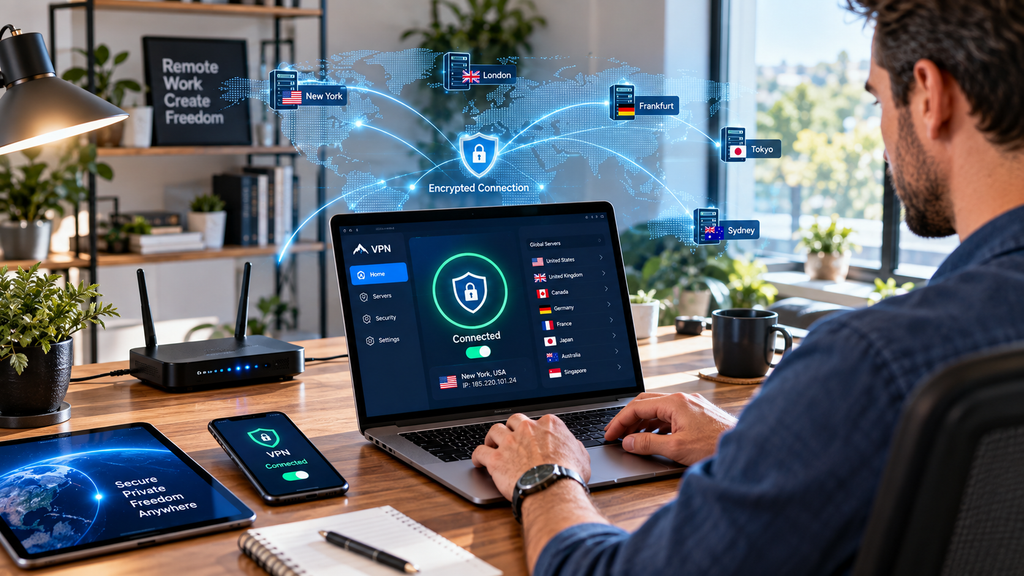
Turbo VPN is a virtual private network service that routes a user’s internet connection through a VPN server.
Instead of connecting directly from a device to an online destination, the connection is routed through the VPN provider’s infrastructure. The VPN encrypts traffic between the user’s device and the VPN server, helping reduce the exposure of internet traffic on the local network.
Turbo VPN offers both free and premium service options. Its website currently promotes VPN applications for Windows, macOS, Android, iOS, Chrome, Xbox, PlayStation, and Nintendo Switch.
The basic concept is simple: install the application, choose a server, connect, and then browse through the VPN connection.
How Does a VPN Work?
Understanding the technology behind a VPN does not require an advanced cybersecurity background.
Normally, your device connects to your router or mobile network and then communicates with websites and online services.
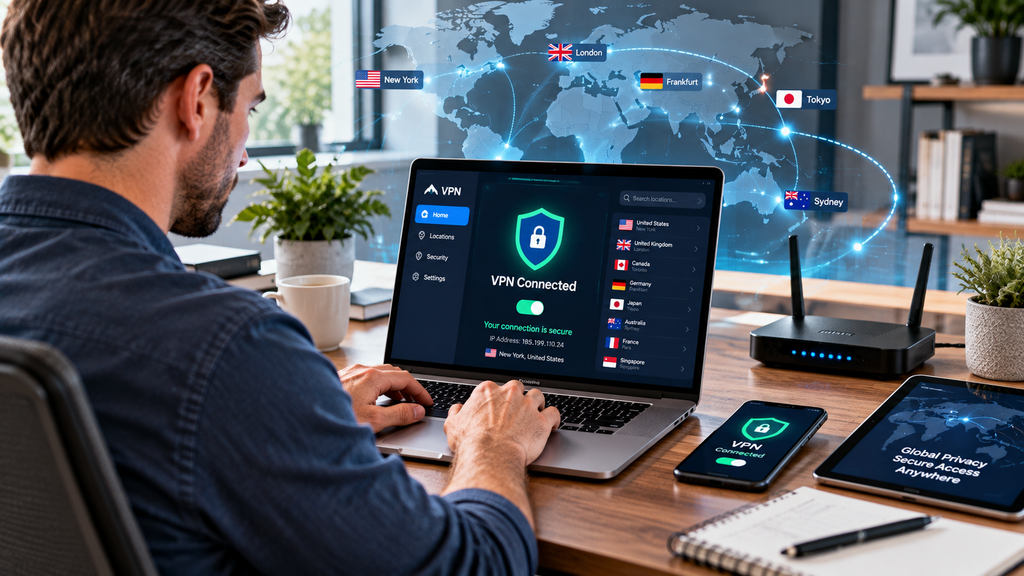
When a VPN is active, the VPN application establishes an encrypted tunnel between your device and a VPN server.
The general process looks like this:
- Your device connects to the VPN.
- The VPN establishes an encrypted connection.
- Internet traffic travels through the VPN server.
- Websites generally see the VPN server’s IP address instead of your original public IP.
- Traffic continues to its final destination.
This can be useful when connecting to public Wi-Fi because the VPN adds encryption between your device and the VPN server.
However, a VPN does not make someone completely anonymous. Websites can still use cookies, account information, browser characteristics, and other technologies to identify or recognize users.
Key Turbo VPN Features
Turbo VPN offers several features designed around privacy, security, connectivity, and convenience.
AES-256 Encryption
Encryption is one of the most important functions of a VPN.
Turbo VPN says it uses AES-256 encryption, a widely recognized encryption standard, to protect internet traffic. Its website also lists OpenVPN and IKEv2 among supported VPN protocols.
Encryption is particularly relevant when using networks that you do not fully control.
For example, someone working from a coffee shop may prefer to use a VPN when accessing business systems or other sensitive online services over public Wi-Fi.
Kill Switch
A VPN kill switch is designed to prevent internet traffic from continuing normally if the VPN connection unexpectedly drops.
Turbo VPN lists an automatic kill switch among its security features.
This can be useful for people who want to reduce the possibility of accidentally continuing an online session without VPN protection.
Split Tunneling
Split tunneling allows selected applications or traffic to use the VPN while other traffic connects directly to the internet.
Turbo VPN lists split tunneling as one of its privacy features.
For example, someone might want their browser traffic to use the VPN while allowing another application to connect directly.
This feature can be useful when certain services work better without VPN routing.
Private DNS and Leak Protection
DNS, or Domain Name System, helps translate domain names into IP addresses.
Turbo VPN advertises private DNS and leak protection designed to help keep DNS queries and online traffic within the VPN connection.
These features are relevant because protecting only part of a connection may leave information exposed through other network mechanisms.
Turbo VPN and Public Wi-Fi
Public Wi-Fi is convenient, but users should not automatically assume that every public network is secure.
Airports, hotels, restaurants, coffee shops, libraries, universities, and other public locations can provide internet access to large numbers of people.
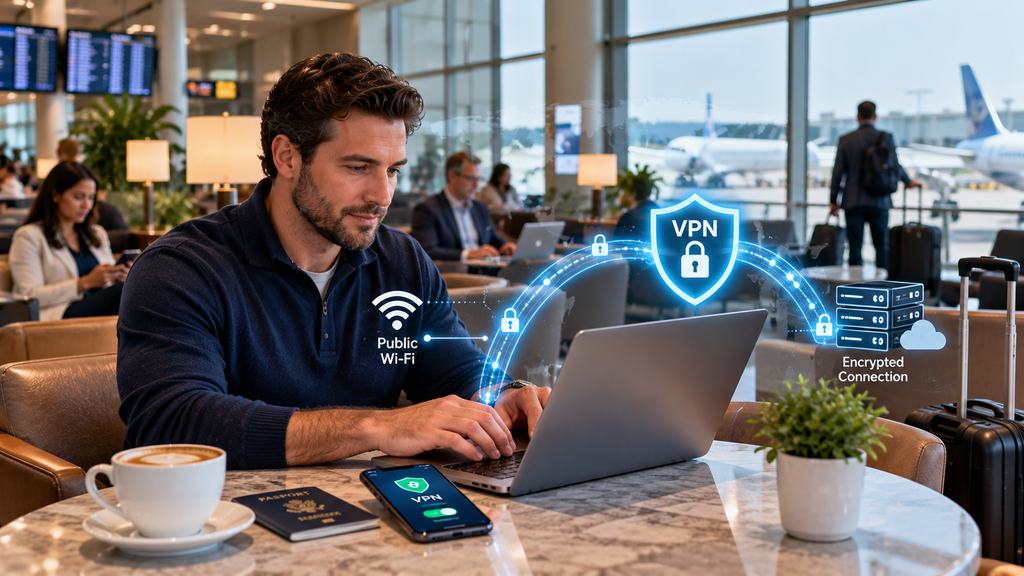
A VPN can encrypt traffic between your device and the VPN server, adding protection when using networks outside your home.
Turbo VPN specifically advertises Wi-Fi protection as one of its features.
For people in the United States who frequently work remotely or travel for business, this can be a practical use case.
Still, a VPN should be combined with other security practices, such as using strong passwords, multifactor authentication, updated software, and secure websites.
Turbo VPN for Windows and Mac
Desktop users can use Turbo VPN on Windows PCs and macOS computers.
The company provides dedicated applications for both platforms. Its current website also describes a three-step process: choose a plan or use the free version, download and install the application, and connect to a server.
For American professionals, a desktop VPN can be useful when:
- Working remotely
- Using hotel Wi-Fi
- Connecting from airports
- Traveling for business
- Browsing on shared networks
- Protecting sensitive traffic on unfamiliar connections
A VPN can also provide a consistent privacy layer across different networks.
Turbo VPN for iPhone and Android
Smartphones are frequently connected to cellular networks, home Wi-Fi, public Wi-Fi, and workplace networks.
Turbo VPN provides applications for both iOS and Android. The company says its mobile apps offer features including encryption, a kill switch, split tunneling, and access to its global server network.
Mobile VPN protection can be useful when traveling around the United States or internationally.
For example, a traveler may connect to hotel Wi-Fi from an iPhone or Android phone and activate the VPN before accessing personal accounts.
Turbo VPN Server Network
Server availability can influence the usefulness and performance of a VPN.
Turbo VPN currently advertises more than 21,000 servers across 111 locations.
A large server network can give users more choices when selecting a location.
In practical terms, users may choose a nearby server when prioritizing connection performance or a server in another region when they need an IP address associated with a particular location.
Actual performance can vary depending on the user’s internet connection, physical distance from the server, network congestion, device, protocol, and the destination service.
Turbo VPN for Streaming
Streaming is one of the reasons consumers consider VPN services.
Turbo VPN advertises access to region-specific content and dedicated entertainment servers for services and platforms such as Netflix and BBC-related content.
A VPN can change the apparent geographic location of a connection, but streaming platforms may have their own rules and technical systems for detecting or restricting VPN traffic.
Content availability also depends on licensing agreements and the policies of individual streaming providers.
For that reason, users should not assume that every streaming service or title will work through every VPN server.
Turbo VPN for Gaming
Gamers may also use VPN services for different reasons.
A VPN can provide an alternative network route and may allow users to connect through servers in different regions.
Turbo VPN currently advertises dedicated servers and lines for gaming, including support for games such as Mobile Legends and PUBG.
However, a VPN does not automatically reduce ping or improve gaming performance.
In some cases, routing traffic through an additional server can increase latency. Performance depends on server distance, network quality, routing, and the game server’s location.
Gamers should therefore test nearby VPN servers and compare actual latency rather than assuming a VPN will always make a connection faster.
Turbo VPN Free vs. Premium
Turbo VPN offers free and premium options.
The company describes its free service as available across multiple platforms, while premium plans provide additional features and server access. Its website currently advertises a 30-day money-back guarantee for premium plans.
For someone who only needs occasional VPN protection, a free option may be enough to explore the service.
A user with more demanding requirements—such as frequent streaming, multiple devices, additional server choices, or specialized entertainment features—may consider premium service.
Before subscribing, users should check the current plan terms, supported features, renewal conditions, and refund policy.
Turbo VPN and Online Privacy
Privacy is one of the primary reasons people use VPNs.
Turbo VPN states that it follows a strict no-log policy and says it does not track or collect information such as browsing history, traffic destinations, bandwidth usage, or DNS queries.
This is an important distinction to understand: a no-log policy is a provider’s privacy commitment, and consumers should review the provider’s current privacy documentation to understand exactly what information is collected for account management, payments, support, security, or other legitimate purposes.
Users should also remember that a VPN does not prevent every form of online tracking.
For example, logging into a website with a personal account can still associate activity with that account.
Does Turbo VPN Make You Anonymous?
A VPN can improve privacy, but it should not be treated as a complete anonymity solution.
When connected to a VPN, websites may see the VPN server’s IP address rather than the user’s normal public IP address.
However, online services can still collect information through:
- Account logins
- Cookies
- Advertising identifiers
- Browser fingerprinting
- Device information
- Location permissions
- Other tracking technologies
A VPN is therefore best understood as a privacy and network-security tool rather than a guarantee of complete anonymity.
How to Use Turbo VPN
Getting started is relatively straightforward.
Step 1: Choose Your Platform
Download the appropriate Turbo VPN application for Windows, macOS, Android, iOS, or another supported platform from the provider’s official channels.
Step 2: Install the Application
Follow the installation instructions and sign into your account if required.
Step 3: Choose a Server
Select a server location based on your needs.
A nearby location may be appropriate when connection performance is the priority.
Step 4: Connect
Tap or click the connection button.
Once the VPN connection is active, internet traffic supported by the VPN should be routed through the VPN connection.
Step 5: Disconnect When Finished
When VPN protection is no longer needed, users can disconnect through the application.
How to Choose a VPN Server
The closest server is not always the only consideration.
For everyday browsing, choosing a nearby server can often provide a practical balance between distance and performance.
For location-specific access, users may select a server in a particular country or region.
When testing different servers, pay attention to:
- Connection speed
- Latency
- Stability
- Website compatibility
- Streaming performance
- Gaming performance
If one server performs poorly, another nearby server may work better.
VPN Security Tips for American Users
A VPN works best as part of a broader security strategy.
Consider combining VPN use with:
Strong Passwords
Use unique passwords for important accounts and consider a reputable password manager.
Multifactor Authentication
Enable multifactor authentication wherever available.
Software Updates
Keep operating systems, browsers, VPN applications, and security software updated.
HTTPS
Look for HTTPS when entering sensitive information on websites.
Secure Wi-Fi
Use password-protected home networks and avoid connecting automatically to unknown networks.
Phishing Awareness
A VPN cannot prevent every phishing attack. Be careful with unexpected links, attachments, and login requests.
These practices can provide protection that complements a VPN connection.
Who Can Benefit From Turbo VPN?
Turbo VPN may be useful for a wide range of users.
Remote Workers
People working from home, hotels, coworking spaces, and public locations may appreciate an additional layer of network privacy.
Travelers
Travelers can use a VPN when connecting devices to unfamiliar Wi-Fi networks.
Students
Students using shared campus or public networks may want additional privacy for certain internet activities.
Families With Multiple Devices
Users with computers, phones, tablets, and other supported devices may benefit from a VPN service that supports multiple platforms.
Privacy-Conscious Internet Users
People who want to reduce exposure of their IP address and encrypt their connection may consider using a VPN as part of their broader privacy setup.
Frequently Asked Questions About Turbo VPN
What is Turbo VPN?
Turbo VPN is a virtual private network service that provides encrypted internet connections and VPN server access across devices such as Windows PCs, Macs, Android phones, iPhones, Chrome, and selected gaming platforms.
Is Turbo VPN free?
Turbo VPN offers a free version as well as premium plans. Features and access can differ between free and premium services, so users should review the current plan details before subscribing.
Does Turbo VPN work on Windows?
Yes. Turbo VPN provides a Windows application and currently lists Windows among its supported platforms.
Does Turbo VPN work on iPhone?
Yes. Turbo VPN provides an iOS application for iPhone and iPad users.
Does Turbo VPN work on Android?
Yes. Turbo VPN provides applications for Android devices, including an Android Lite version.
Does Turbo VPN have a kill switch?
Yes. Turbo VPN lists a kill switch among its privacy and security features.
Does Turbo VPN use AES-256 encryption?
Turbo VPN states that it uses AES-256 encryption to protect VPN connections.
Does Turbo VPN have a no-log policy?
Turbo VPN states that it operates under a strict no-log policy and says it does not track or collect certain activity-related information, including browsing history and DNS queries. Users should review the provider’s current privacy documentation for the complete details.
Can Turbo VPN be used for streaming?
Turbo VPN markets its service for streaming and advertises dedicated entertainment servers. However, individual streaming platforms can impose their own restrictions on VPN connections, so availability can vary.
Can Turbo VPN improve gaming speed?
A VPN can sometimes provide a different network route, but it does not guarantee lower ping or faster gaming. Performance depends on the selected server, distance, routing, internet connection, and game server.
How many VPN server locations does Turbo VPN have?
Turbo VPN currently advertises more than 21,000 servers in 111 locations. Server availability can change, so users should check the current service information when selecting a plan.
Conclusion
Turbo VPN is designed to provide users with a combination of encrypted internet connections, privacy features, global server access, and support for multiple devices.
Its current feature set includes AES-256 encryption, a kill switch, split tunneling, private DNS, Wi-Fi protection, and a company-stated no-log policy. Turbo VPN also advertises more than 21,000 servers across 111 locations and supports platforms including Windows, macOS, Android, iOS, Chrome, and selected gaming devices.
For Americans, the service can be useful in everyday situations such as working remotely, traveling, using public Wi-Fi, protecting mobile connections, or accessing services while connected through different network locations.
At the same time, a VPN should not be viewed as a complete cybersecurity solution. It does not eliminate phishing risks, prevent all online tracking, or guarantee complete anonymity. Users should combine VPN protection with strong passwords, multifactor authentication, software updates, secure browsing habits, and awareness of online threats.
The choice between a free and premium VPN plan ultimately depends on how frequently you use a VPN and which features you require. Occasional users may want to start with the available free option, while people who need additional server choices or premium features may consider a paid plan.
If you are researching Turbo VPN, the most important step is to evaluate the features that actually match your needs rather than choosing a VPN based only on speed or the size of its server network. Review the provider’s current privacy policy, plan terms, supported platforms, and features before making a subscription decision.
A VPN can be a useful part of a modern digital privacy strategy. Used alongside sensible cybersecurity practices, it can provide an additional layer of protection when browsing the internet at home, at work, or while traveling.