Maintenance teams have always had the same fundamental responsibility: keep equipment, facilities, and critical assets working reliably.
What has changed is the complexity of doing that job.
Modern organizations may manage hundreds or thousands of assets across multiple buildings, plants, warehouses, vehicles, production lines, or customer locations. At the same time, maintenance managers must coordinate technicians, track spare parts, document inspections, respond to unexpected failures, schedule preventive work, control costs, and provide reliable performance data to leadership.
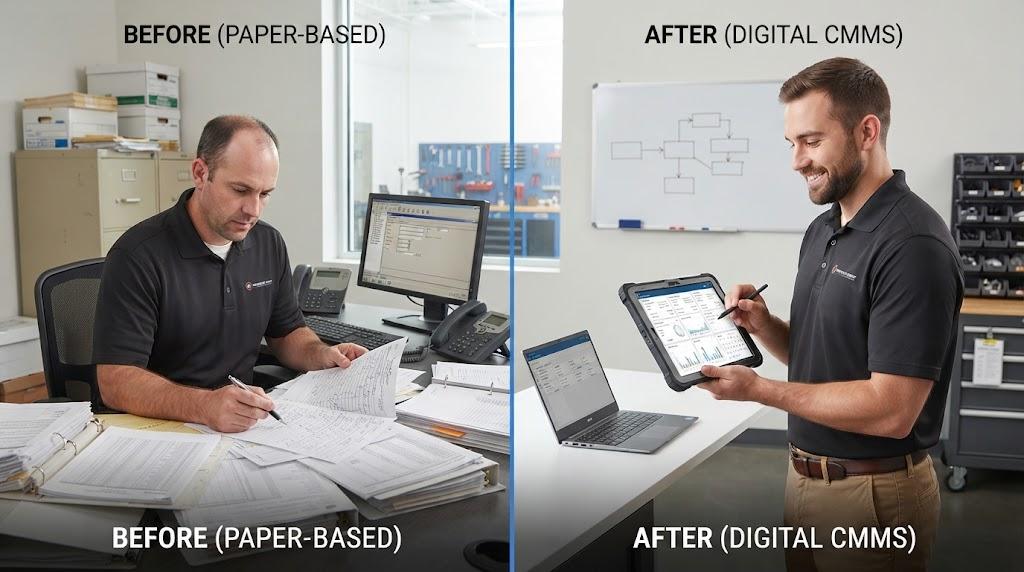
Trying to manage all of that through spreadsheets, paper work orders, emails, and hallway conversations quickly becomes difficult.
That is where CMMS software becomes valuable.
A computerized maintenance management system creates a central digital system for maintenance activities. Instead of storing equipment history in one spreadsheet and work orders in another, a CMMS connects assets, work orders, preventive maintenance schedules, inventory, labor, costs, and reporting in one place.
UpKeep describes a CMMS as a system of record for maintenance teams, bringing work orders, preventive maintenance, asset management, and parts inventory into a mobile-first platform.
For manufacturers, property managers, healthcare facilities, hospitality businesses, distribution centers, utilities, and other asset-intensive organizations in the United States, that centralized approach can make maintenance much easier to manage.
What Is CMMS Software?
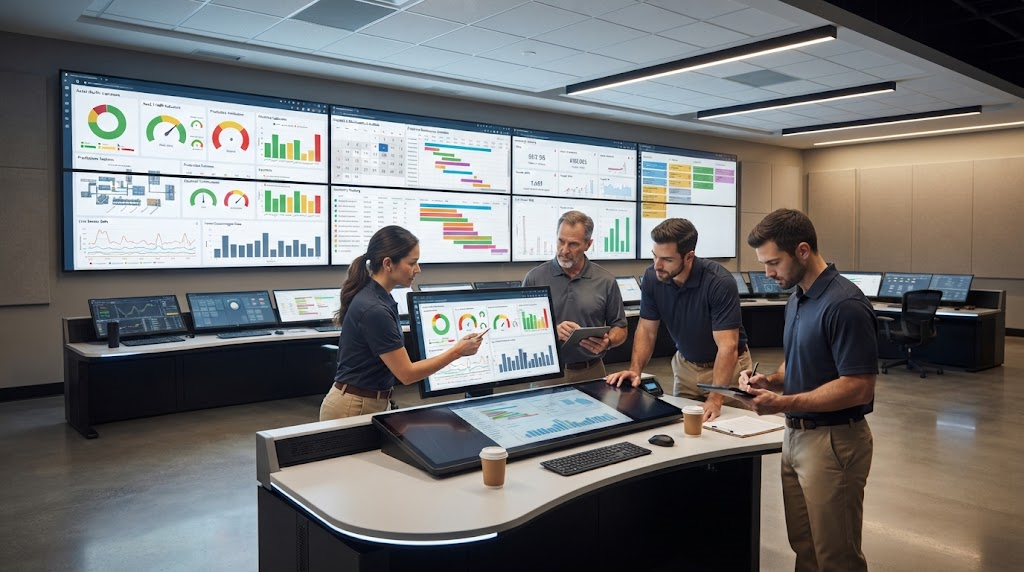
CMMS stands for Computerized Maintenance Management System.
The purpose of the software is to help maintenance teams plan, organize, document, and improve maintenance operations.
A modern CMMS typically supports functions such as:
- Work order management
- Preventive maintenance scheduling
- Asset tracking
- Maintenance history
- Parts and inventory management
- Technician assignments
- Labor tracking
- Maintenance costs
- Inspections and checklists
- Reporting and analytics
- Mobile maintenance workflows
Instead of reacting to every breakdown individually, teams can use the system to build a more structured maintenance program.
UpKeep explains that a modern CMMS replaces manual systems such as spreadsheets and paper logs with a centralized digital database, while core modules commonly include work order management, preventive maintenance, and an asset registry.
Why Businesses Move Away From Spreadsheets
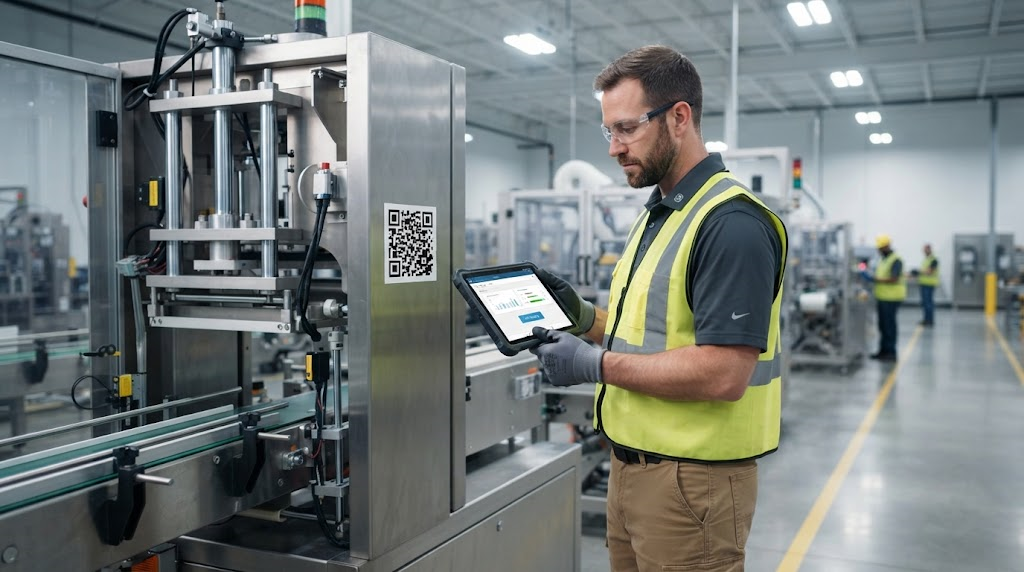
Spreadsheets can work for a small maintenance operation.
The problem appears as the organization grows.
One employee may update a maintenance spreadsheet while another records repair information in email. A technician may write notes on paper and forget to transfer them later. A spare part might be taken from inventory without anyone updating the count.
Over time, maintenance data becomes fragmented.
One Source of Maintenance Information
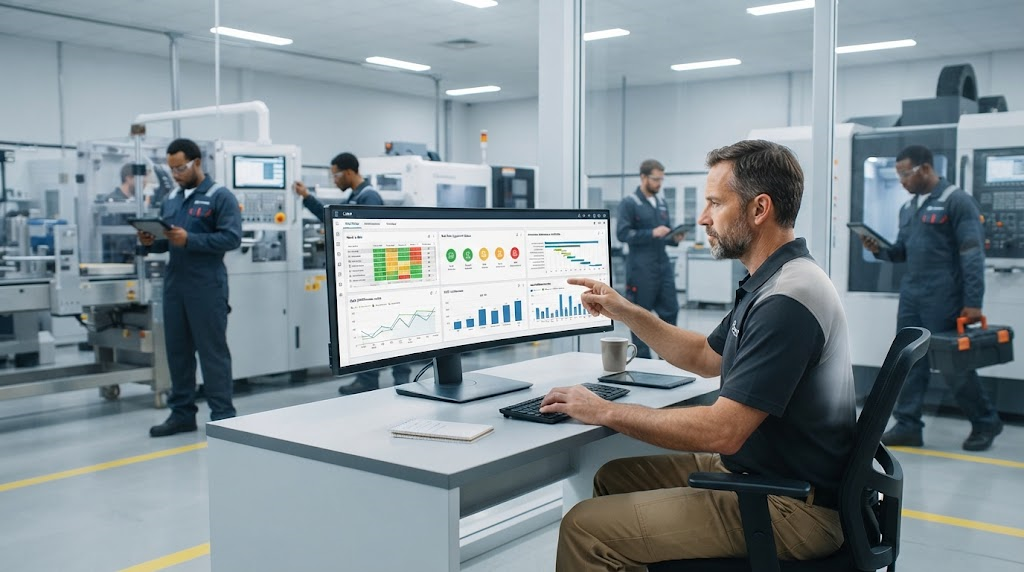
With a CMMS, each asset can have its own record containing information such as:
- Equipment name
- Location
- Serial number
- Manufacturer
- Service history
- Previous failures
- Parts replaced
- Labor hours
- Warranty information
- Maintenance costs
- Preventive maintenance tasks
UpKeep notes that complete asset histories help maintenance teams understand failure frequency, parts costs, repairs, and long-term equipment performance.
That information can be extremely valuable when deciding whether to repair an aging machine or replace it.
Work Order Management
Work orders are at the center of most maintenance departments.
A work order tells the maintenance team what needs to be done, where the problem exists, who is responsible, and what information should be recorded when the job is complete.
Moving From Paper Tickets to Digital Work Orders
Traditional maintenance requests can come from phone calls, sticky notes, emails, or verbal conversations.
That makes it easy for requests to disappear.
CMMS work order software allows maintenance requests to enter one system where they can be:
- Created
- Prioritized
- Assigned
- Updated
- Completed
- Documented
UpKeep describes CMMS work order management as a centralized workflow that creates, routes, tracks, and closes maintenance tasks instead of relying on paper tickets or informal requests.
Add Useful Information to Every Job
A digital work order can contain more than a short description.
Technicians may be able to access:
- Equipment history
- Safety procedures
- Checklists
- Photos
- Manuals
- Parts information
- Previous repairs
This gives the technician more context before beginning the job.
Preventive Maintenance With CMMS Software
Reactive maintenance means waiting for something to fail before repairing it.
Preventive maintenance takes a different approach.
The organization performs inspections, lubrication, cleaning, adjustment, calibration, or parts replacement according to a planned schedule.
A CMMS can automate much of this process.
Automatically Generate Maintenance Tasks
Preventive work orders can be triggered by:
- Calendar dates
- Operating hours
- Mileage
- Production cycles
- Meter readings
- Equipment condition
For example, a generator might require inspection every 500 operating hours.
Instead of expecting someone to remember the interval, the system can automatically create the work order when the threshold is reached.
UpKeep’s preventive maintenance tools support scheduling based on calendar intervals, meter readings, usage metrics, and other conditions.
Asset Management and Maintenance History
Every repair creates data.
When that data is properly organized, maintenance teams can identify patterns.
Imagine a production machine that fails every three months.
Without complete records, each repair may appear unrelated.
With an asset history, a maintenance manager can review previous failures and discover that the same bearing, sensor, or motor has repeatedly caused downtime.
Repair or Replace Decisions
Asset history can help answer an important question:
Is this machine still worth repairing?
A CMMS can show:
- Total repair costs
- Failure frequency
- Downtime
- Parts consumption
- Technician hours
- Maintenance history
UpKeep says asset records can support repair-versus-replace decisions by bringing service events, parts costs, and failure history together.
That gives management something stronger than intuition when planning capital replacement.
Mobile CMMS for Technicians
Maintenance work usually happens away from a desk.
Technicians may be on a production floor, rooftop, warehouse, hospital wing, hotel property, or remote site.
For that reason, mobile access has become an important part of modern maintenance systems.
Update Work Where It Happens
A mobile CMMS can allow technicians to:
- Receive assignments
- View work orders
- Attach photos
- Complete checklists
- Record labor
- Log parts used
- Update equipment status
- Close work orders
UpKeep positions its platform as mobile-first and currently supports mobile work orders, photos, notifications, asset information, and offline functionality on higher-tier plans.
Offline functionality can be particularly useful in facilities where internet or cellular coverage is unreliable.
Parts and Inventory Management
Maintenance delays are not always caused by technician availability.
Sometimes the technician is ready, but the required part is missing.
A CMMS can help track spare parts such as:
- Bearings
- Belts
- Filters
- Motors
- Lubricants
- Electrical components
- Fasteners
- Sensors
The system can record inventory consumption and help identify when stock falls below a defined level.
UpKeep currently includes parts and inventory management with costing in its Premium tier and more advanced purchasing tools in higher plans.
Avoid Excess Inventory Too
The goal is not simply to stock more parts.
Too much inventory ties up money and storage space.
A better maintenance inventory program tries to keep critical parts available without unnecessarily overstocking rarely used items.
Reporting and Maintenance KPIs
Maintenance data becomes more useful when it can be measured.
Modern CMMS platforms can help managers monitor indicators such as:
- Work order backlog
- Completed work orders
- Labor hours
- Maintenance costs
- Asset downtime
- Preventive maintenance compliance
- Mean Time Between Failures
- Parts consumption
UpKeep highlights metrics such as MTBF, work order backlog, costs, and asset reliability as examples of maintenance information managers can use to make operational decisions.
Turn Maintenance Into Business Data
Maintenance departments are sometimes viewed simply as cost centers.
Good reporting can demonstrate how maintenance supports production, safety, asset life, and operational reliability.
For example, leadership may be able to compare equipment downtime before and after a new preventive maintenance program was introduced.
CMMS Software and AI
Artificial intelligence is beginning to appear inside maintenance platforms as well.
The goal is not simply to add a chatbot.
AI can help maintenance teams work with the information already stored in the CMMS.
UpKeep currently promotes Nova AI for maintenance workflows, including natural-language assistance, workflow automation, and analysis of operational data. Its platform also uses AI-related tools for preventive maintenance and routine maintenance tasks.
Condition Monitoring and Sensors
Maintenance can become even more proactive when software connects with equipment sensors.
Sensors may monitor:
- Vibration
- Temperature
- Runtime
- Equipment condition
UpKeep currently offers IIoT sensor capabilities that can monitor operating conditions and automatically create work orders when measurements move outside expected ranges.
This moves maintenance closer to condition-based or predictive strategies.
Industries That Use CMMS Software
CMMS platforms can support many industries because almost every organization has physical assets to maintain.
Manufacturing
Manufacturers use maintenance systems to manage:
- Production equipment
- Conveyors
- Packaging lines
- Motors
- Pumps
- Compressors
- Facility systems
Reducing equipment downtime can directly protect production output.
Facilities Management
Facility teams may use a CMMS for:
- HVAC
- Plumbing
- Electrical systems
- Elevators
- Fire safety equipment
- Lighting
- Building inspections
Healthcare
Hospitals and healthcare facilities can use maintenance systems to coordinate building systems and equipment maintenance while maintaining accurate documentation.
Hospitality
Hotels and resorts may manage:
- HVAC systems
- Kitchen equipment
- Laundry equipment
- Pools
- Elevators
- Guest-room maintenance
Warehousing and Distribution
Distribution centers depend on conveyors, loading systems, forklifts, refrigeration, and other equipment that requires ongoing maintenance.
UpKeep identifies manufacturing, healthcare, construction, and facilities as examples of industries using equipment maintenance systems to manage assets and reduce disruption.
How to Choose CMMS Software
The best platform is not necessarily the one with the longest feature list.
It is the one your team will actually use.
Look for Easy Work Order Management
Technicians should be able to understand their assignments quickly.
If creating or closing a work order takes too many steps, adoption may suffer.
Evaluate Mobile Usability
Ask technicians to test the mobile experience before purchasing.
They will be the people using it during real maintenance work.
Review Preventive Maintenance Tools
Make sure the platform supports the scheduling methods your organization needs, whether they are calendar-based, meter-based, or condition-based.
Check Reporting Capabilities
Managers should be able to answer basic questions without exporting everything into another spreadsheet.
Consider Integrations
Larger organizations may need connections with:
- ERP systems
- Accounting platforms
- Procurement systems
- Sensors
- Business intelligence tools
UpKeep currently offers API access and custom integrations at its Enterprise level.
Understanding CMMS Pricing
CMMS pricing varies according to user count, features, analytics, integrations, implementation, and organization size.
UpKeep’s current U.S. pricing lists its Essential plan at $24 per user per month and Premium at $55 per user per month. Professional and Enterprise pricing is quote-based. The company also offers paid implementation and training packages depending on the complexity of deployment.
The cheapest subscription is not automatically the lowest-cost option.
Also consider:
- Implementation
- Data migration
- Training
- Integrations
- Support
- Time required for administration
A platform that employees actually adopt may deliver more value than cheaper software that nobody uses properly.
Implementing a CMMS Successfully
Buying software is only the beginning.
Start With Clean Asset Data
Identify the most important equipment first.
Do not feel pressured to enter every object in the building on day one.
Standardize Naming
Use consistent names for:
- Assets
- Locations
- Parts
- Failure codes
- Work order categories
Consistent data makes reporting much easier later.
Train Technicians Early
Explain why the system is being introduced.
If technicians see CMMS software only as another administrative task, adoption will be difficult.
Show how it can give them better work-order information, faster access to equipment history, and fewer repetitive questions.
Frequently Asked Questions About CMMS Software
What does CMMS stand for?
CMMS stands for Computerized Maintenance Management System.
What does CMMS software do?
It helps organizations manage work orders, equipment records, preventive maintenance, maintenance history, parts, labor, costs, and reporting in one digital platform.
Is CMMS software only for manufacturing?
No. It is also used in facilities management, healthcare, hospitality, warehousing, utilities, property management, and other industries with equipment or physical assets.
Can a CMMS replace spreadsheets?
Yes. One of the main reasons organizations adopt CMMS software is to move maintenance information away from disconnected spreadsheets and paper systems into one centralized platform.
Can CMMS software schedule preventive maintenance?
Yes. Modern platforms can automatically create preventive maintenance tasks based on time, usage, meter readings, and sometimes equipment conditions.
Can technicians use a CMMS on mobile devices?
Yes. Many modern systems include mobile applications. UpKeep, for example, is designed around mobile maintenance workflows and provides mobile work-order functionality.
What is the difference between CMMS and asset management software?
A CMMS primarily focuses on maintenance execution, work orders, preventive maintenance, and equipment history. Broader enterprise asset management systems may cover additional financial, lifecycle, procurement, and organizational functions.
Where can businesses explore modern CMMS software?
Organizations evaluating maintenance platforms can explore CMMS software from UpKeep, which currently combines work orders, preventive maintenance, asset tracking, parts management, mobile access, analytics, AI tools, and additional enterprise maintenance capabilities.
Conclusion
Maintenance becomes much harder when information is spread across paper forms, spreadsheets, emails, and individual employees’ memories.
CMMS software solves much of that problem by creating one digital system for maintenance operations.
Work orders can be assigned and tracked.
Preventive maintenance can be scheduled automatically.
Each asset can develop a complete service history.
Parts usage can be recorded.
Technicians can access information from mobile devices.
Managers can analyze downtime, maintenance costs, backlog, and equipment reliability.
The result is not simply more data. The real value comes from turning that information into better decisions.
A maintenance manager can see which asset fails repeatedly. A technician can review previous repairs before opening a machine. A purchasing team can understand which spare parts are being consumed. Leadership can identify where downtime is affecting operations.
Platforms such as UpKeep reflect how CMMS technology has evolved beyond basic work-order tracking. UpKeep currently combines mobile work orders, preventive maintenance, asset lifecycle information, inventory management, analytics, AI capabilities, and enterprise integrations within its maintenance platform.
Still, successful CMMS implementation depends on more than selecting software.
Organizations need clean asset data, standardized workflows, realistic preventive maintenance schedules, technician training, and clear goals.
Start with the maintenance problems that matter most.
If work requests are getting lost, improve work-order management first.
If breakdowns are disrupting production, focus on preventive maintenance.
If leadership does not understand equipment costs, build stronger asset histories and reporting.
The right CMMS should make maintenance easier to manage—not create another layer of unnecessary administration.
When implemented thoughtfully, it can help maintenance teams move away from constant firefighting and toward a more organized, proactive, and data-driven way of keeping equipment and facilities running.