Online accounts hold more personal and business information than ever before. Email, cloud storage, social media, online stores, workplace tools, payment services, and developer platforms can all become valuable targets for attackers.
A strong password remains important, but relying on a password alone creates a single point of failure. If that password is stolen, leaked, reused, or successfully phished, an attacker may have everything needed to attempt a login.
This is where two-factor authentication can help.
Authenticator App by Begamob is a two-factor authentication application designed to generate time-based one-time passwords, commonly known as TOTP codes. These short-lived codes can be used as an additional login step for websites and services that support authenticator-based 2FA.
Begamob says its app supports services such as Google, Microsoft, Facebook, GitHub, Amazon, Dropbox, PayPal, LinkedIn, Slack, Zoom, and many others. Its official website also promotes features such as QR-code setup, biometric protection, encrypted backup, multi-device functionality, and offline code generation. (authenticator-app.begamob.com)
For U.S. users looking for a dedicated authenticator, understanding how the app works, how recovery is handled, and what security limitations apply is essential before adding important accounts.
What Is Authenticator App by Begamob?
Authenticator App by Begamob is a mobile authentication tool developed by Begamob Global Limited.
Its main purpose is to generate verification codes for websites that support time-based one-time passwords.
The U.S. App Store currently lists the product as Authenticator ℠ App, while Google Play lists it as Authenticator App – 2FA. Both listings describe it as a standards-based 2FA application that generates TOTP codes directly on the device. (apps.apple.com) (play.google.com)
A TOTP code typically changes every 30 seconds.
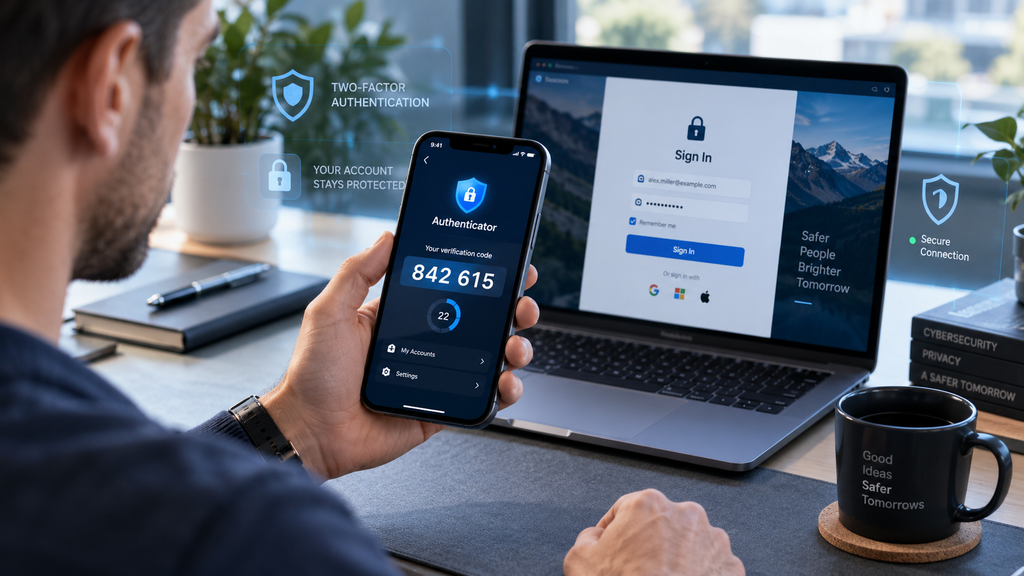
When a website asks for two-factor authentication, the user enters their normal username and password and then enters the temporary code generated by the authenticator.
This adds another barrier between an attacker and the account.
How Two-Factor Authentication Works
Two-factor authentication, or 2FA, requires more than one type of evidence before granting access.
The first factor is usually something you know, such as a password.
The second factor may be something you have, such as a phone running an authenticator app.
CISA recommends enabling multifactor authentication wherever it is available because it makes account compromise more difficult even when passwords are stolen. (cisa.gov)
With an authenticator app, the login process commonly looks like this:
- Enter your username or email.
- Enter your password.
- Open your authenticator app.
- Find the account.
- Enter the temporary six-digit code.
- Complete the login.
Because the code expires quickly, an old code cannot normally be reused later.
What Is TOTP?
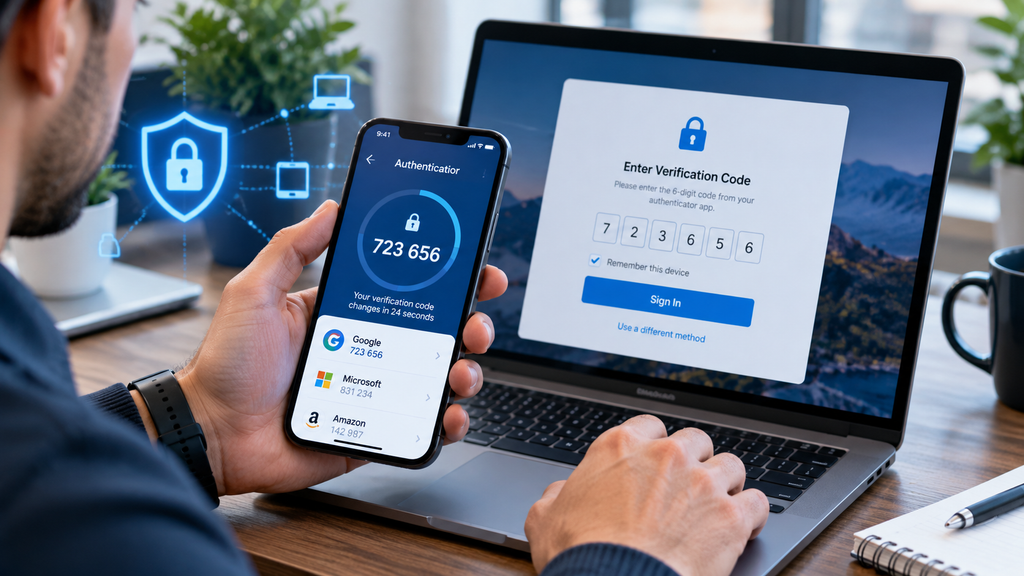
TOTP stands for Time-Based One-Time Password.
It is one of the most common technologies used by authenticator apps.
During initial setup, the website and authenticator share a secret key. The authenticator combines that secret with the current time to calculate a temporary code.
Begamob’s support documentation says its app generates a fresh six-digit TOTP code approximately every 30 seconds. Once the account is configured, code generation does not require a continuous internet connection. (authenticator-app.begamob.com)
This offline capability is useful when traveling, using limited cellular service, or signing into an account without reliable internet access on the phone.
How to Set Up Authenticator App by Begamob
Setup is generally straightforward when the website supports authenticator-based 2FA.
Install the App
Download the correct app from the official Apple App Store or Google Play listing.
Because many applications use similar names such as “Authenticator” or “2FA,” verify the developer before installing.
The Apple listing identifies the developer as BEGAMOB GLOBAL LIMITED, while the Google Play listing identifies Begamob Global as the developer. (apps.apple.com) (play.google.com)
Open the Account’s Security Settings
Sign in to the website you want to protect.
Look for options such as:
- Security
- Two-factor authentication
- Two-step verification
- Multifactor authentication
- Authenticator app
Select Authenticator App
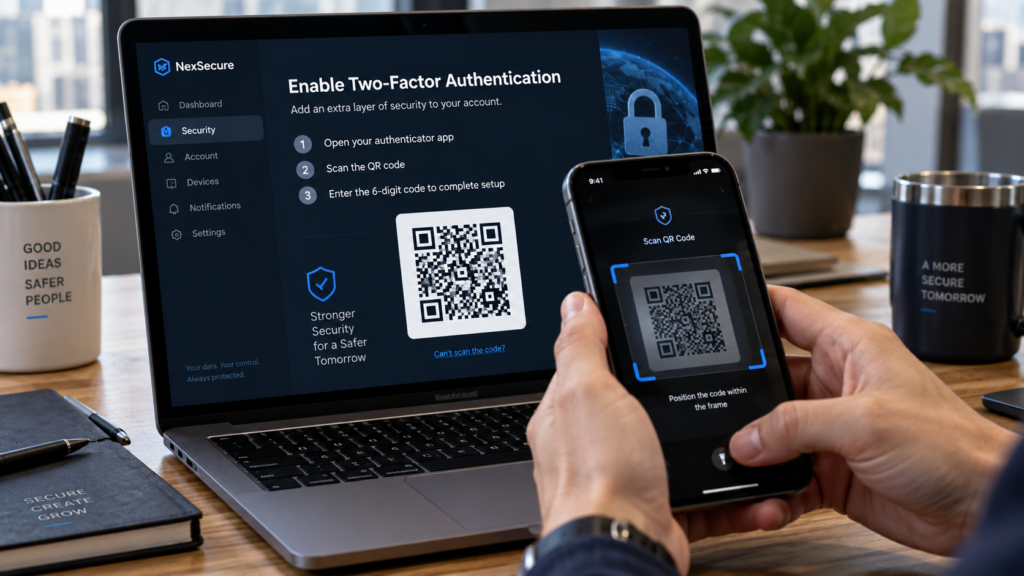
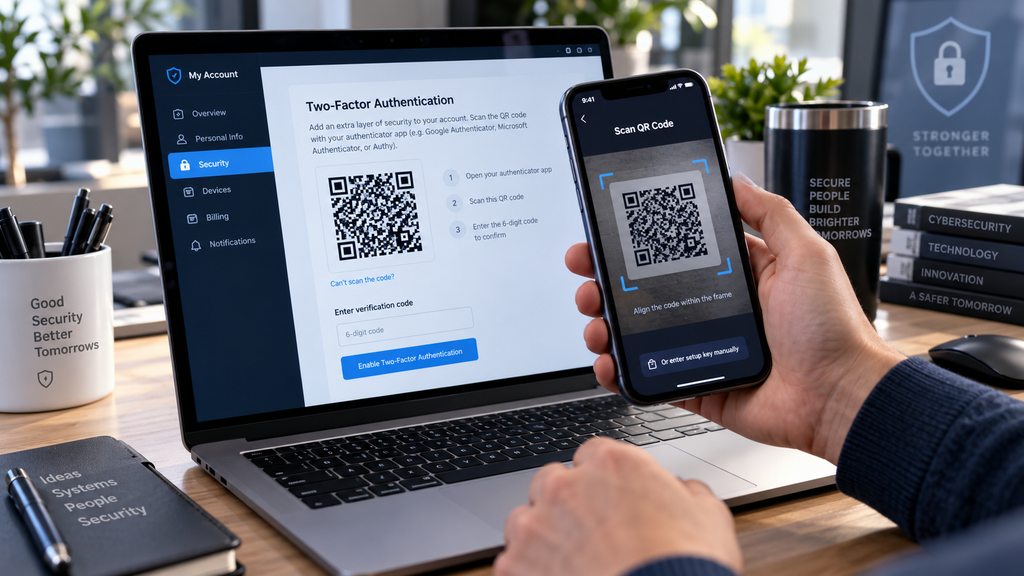
The service will usually display a QR code.
Scan the QR Code
Open Authenticator App by Begamob and use the QR scanner to capture the code shown by the website.
The authenticator should then begin generating temporary codes for that account.
Confirm the Setup
The website may ask you to enter one of the generated codes.
Once it accepts the code, 2FA is normally enabled.
Which Services Can You Use With the App?
An authenticator app is not limited to one website.
Begamob promotes compatibility with a wide range of platforms, including:
- Microsoft
- GitHub
- Amazon
- Dropbox
- PayPal
- Shopify
- Slack
- Zoom
The company’s website also maintains a directory covering thousands of online services that support TOTP-based authentication. (authenticator-app.begamob.com)
Compatibility ultimately depends on whether the individual service supports standard TOTP authentication.
Offline Authentication Codes
One practical benefit of TOTP apps is that they do not need an active connection every time they generate a code.
Begamob’s product information says codes are generated directly on the phone and can be accessed without relying on SMS. (play.google.com)
This can be useful for travelers and users who frequently move between networks.
It also avoids some weaknesses associated with receiving login codes by SMS.
CISA ranks authenticator-generated one-time codes above text or email codes, although it also notes that stronger phishing-resistant authentication methods are available. (cisa.gov)
Biometric Protection
Begamob’s official website says the app can place authentication codes behind biometric protection such as Face ID or Touch ID on supported Apple devices. (authenticator-app.begamob.com)
Biometric access can add another local protection layer if another person gains physical access to the phone.
For example, an unlocked phone might otherwise expose the authenticator app to anyone holding the device.
Users should still protect the phone itself with a strong PIN or passcode.
Backup and Recovery
Recovery is one of the most important issues to think about before enabling 2FA.
If your authenticator codes exist only on one phone and that phone is lost, damaged, or erased, you may have difficulty accessing your accounts.
Begamob’s support documentation says its Apple sync-and-backup feature can store an end-to-end encrypted vault in the user’s private iCloud and restore that vault on devices signed into the same Apple ID. (authenticator-app.begamob.com)
The company also documents encrypted import and export functionality for moving authenticator information.
However, backup behavior can differ by platform and app version.
Before relying on any backup system, confirm the exact options available in the version installed on your device.
Save Recovery Codes Separately
Authenticator backup should not be your only recovery method.
Many websites provide one-time recovery codes when you activate 2FA.
Store those recovery codes somewhere secure and separate from your authenticator.
For example, you might keep them in a secure password manager or another protected offline location.
Do not assume that you will always have access to your current phone.
Recovery planning is particularly important for:
- Primary email accounts
- Banking-related accounts
- Business accounts
- Cloud storage
- Domain registrars
- Developer accounts
- Cryptocurrency platforms
Authenticator App by Begamob on iPhone
The current U.S. App Store listing supports iPhone and iPad and also lists Apple Watch support. It requires iOS 17.0 or later on iPhone. (apps.apple.com)
The official Begamob website additionally promotes Apple ecosystem functionality such as sync, widgets, and Apple Watch code access. (authenticator-app.begamob.com)
One detail worth checking before purchase is Mac support.
Begamob’s website promotes Mac functionality, but the current U.S. App Store listing says the app is not verified for macOS. Users who specifically need Mac access should check the latest store listing and installed-app compatibility before relying on that feature.
Authenticator App by Begamob on Android
The Google Play version generates TOTP codes and supports offline access.
The current U.S. Google Play listing also advertises built-in password storage and an in-app browser in addition to authenticator functionality. (play.google.com)
The Android version includes advertisements and in-app purchases according to the store listing.
Before storing sensitive credentials in any password feature, users should evaluate whether they want their passwords and authentication factors managed within the same application or prefer to keep those functions separate.
No Account Required
Begamob’s main website states that users can begin using the authenticator without creating an email-based account.
It also states that authentication secrets are encrypted locally on the device and says Begamob does not store or read those secrets. (authenticator-app.begamob.com)
These are vendor claims, so users evaluating the app for high-risk or enterprise use may want to review the current privacy policy, platform disclosures, and security documentation in addition to the marketing page.
Is TOTP Better Than SMS?
For many users, app-generated TOTP is a stronger option than SMS-based authentication.
SMS messages can be affected by risks such as SIM swapping and telecommunications attacks.
CISA places authenticator apps that generate one-time codes above SMS and email codes in its MFA guidance. (cisa.gov)
However, TOTP is not the strongest authentication method available.
That distinction matters.
Is an Authenticator App Phishing-Resistant?
No.
TOTP codes improve security, but they can still be captured by a convincing phishing website.
If a user enters both a password and current TOTP code into a malicious site, an attacker may be able to relay those credentials immediately to the real service.
NIST specifically states that manually entered OTP authentication is not considered phishing-resistant. (nist.gov)
CISA recommends phishing-resistant methods such as FIDO/WebAuthn security keys or passkeys where supported, particularly for administrators and high-value accounts. (cisa.gov)
That does not make TOTP useless.
For accounts that do not support phishing-resistant authentication, app-based one-time passwords can still provide meaningful protection compared with using only a password.
Best Practices for Using Authenticator App by Begamob
Use a Strong Phone Passcode
Your authenticator protects other accounts, so your device should also be well protected.
Enable Biometric or App Lock
Use Face ID, Touch ID, fingerprint authentication, or another supported lock feature.
Save Recovery Codes
Keep independent recovery options for critical accounts.
Verify the Website Before Entering a Code
A TOTP code can still be phished.
Check the domain before typing credentials.
Do Not Share QR Setup Codes
The QR code used during 2FA setup contains authentication information.
Treat it like a secret.
Do not post or send screenshots of it casually.
Plan Before Replacing Your Phone
Confirm that you have a functioning transfer or backup method before erasing or trading in the old device.
Use Stronger Authentication Where Available
If an important service supports passkeys, security keys, or FIDO/WebAuthn, consider those options for stronger phishing resistance.
Authenticator Apps for Business Use
Small businesses can benefit significantly from requiring MFA.
Email accounts, cloud storage, administrative dashboards, financial tools, and remote-access systems can all contain sensitive company information.
CISA recommends that businesses enable MFA wherever possible and prioritize administrator accounts and employees with access to sensitive information. (cisa.gov)
Before standardizing on any authenticator application, a business should evaluate:
- Recovery procedures
- Employee offboarding
- Device loss
- Supported platforms
- Backup controls
- Security documentation
- Centralized management needs
- Regulatory requirements
A consumer authenticator may work well for individuals but may not provide every management capability required by a larger organization.
Authenticator App vs. Password Manager
An authenticator and a password manager solve different problems.
A password manager stores login credentials and helps users create unique passwords.
An authenticator generates temporary second-factor codes.
Using both can provide stronger account protection than using either one alone.
For very sensitive accounts, some security professionals prefer separating the password and TOTP secret into different applications so that compromising one application does not expose both factors.
The most appropriate setup depends on convenience, threat model, and recovery requirements.
Frequently Asked Questions About Authenticator App by Begamob
What is Authenticator App by Begamob?
It is a two-factor authentication application that generates time-based one-time passwords for websites and services that support TOTP-based 2FA.
Does Authenticator App by Begamob work without internet?
Yes. TOTP codes are generated locally after the account has been configured, so normal code generation does not require an internet connection. (authenticator-app.begamob.com)
Does the app support QR-code setup?
Yes. Users can scan the QR code displayed by a supported service to add an account.
Can I use it with Google?
Yes, if the Google account is configured to use an authenticator app as a two-step verification method.
Can I use it with Microsoft?
Yes. Begamob lists Microsoft among the supported services for standard authenticator-based login codes.
Does it support iPhone?
Yes. The current U.S. App Store listing supports iPhone and requires iOS 17.0 or later. (apps.apple.com)
Is Authenticator App by Begamob available on Android?
Yes. The app is currently available through Google Play for Android devices. (play.google.com)
Does it support Apple Watch?
The current Apple listing includes Apple Watch support, and Begamob’s help documentation explains how users can access codes from the watch.
Can I recover my codes if I lose my phone?
Recovery depends on how backup and synchronization were configured. Begamob documents encrypted iCloud backup for supported Apple setups and also provides transfer and import/export options. Always keep separate recovery codes for important accounts.
Is an authenticator app more secure than SMS?
CISA generally ranks authenticator-generated one-time codes above SMS or email authentication because they avoid some telecommunications-related risks. However, phishing-resistant authentication remains stronger. (cisa.gov)
Is TOTP phishing-resistant?
No. NIST and CISA both note that manually entered OTP codes can still be captured through phishing. FIDO/WebAuthn-based authentication provides stronger phishing resistance. (nist.gov)
Conclusion
Authenticator App by Begamob provides a practical way to add TOTP-based two-factor authentication to supported online accounts.
The app generates short-lived verification codes that work alongside a password, creating another step an attacker must overcome before accessing an account. It supports common services such as Google, Microsoft, Facebook, GitHub, Amazon, Slack, Dropbox, and many others.
For everyday users, useful features include QR-code setup, offline code generation, biometric access controls, account organization, and supported backup and recovery options. Begamob also offers versions for both iPhone and Android, with additional Apple ecosystem features advertised for supported devices. (authenticator-app.begamob.com)
However, the most important part of using any authenticator is not simply installing the app.
Users should also create a recovery plan.
Save backup codes, understand how your authenticator data is transferred to a new phone, verify that backup is actually working, and do not erase an old device until you have confirmed access from the replacement.
It is equally important to understand the limits of TOTP.
Authenticator-generated codes are generally stronger than relying only on passwords or SMS, but they are not phishing-resistant. A sophisticated fake website may still convince a user to enter both a password and a valid temporary code.
For accounts that support stronger technologies such as passkeys, hardware security keys, or FIDO/WebAuthn authentication, those methods can provide better protection against phishing. CISA encourages organizations and high-value users to move toward phishing-resistant MFA where practical. (cisa.gov)
For services that still rely on standard authenticator codes, Authenticator App by Begamob can serve as a centralized way to manage TOTP authentication across multiple personal and professional accounts.
Used together with unique passwords, secure recovery practices, careful phishing awareness, and stronger authentication methods when available, an authenticator app can become an important part of a broader online security strategy.